
Story-Based Wedding Invitations: How to Prepare Your Story and Script
A story-based wedding invitation introduces your journey and then gives guests the details they need. Prepare two or three meaningful moments, a short line for each, and accurate event information. That is enough to start a useful conversation with your designer.
Contents Choose your moments · Write the script · Visual references · Designer brief · Final checks
Jump to a sample Friends to partners · Introduced by family
Choose the moments guests need to know
Start with how you met, one detail that feels like you, and the decision to marry. A shared love of weekend walks can say more than a full timeline. Use only details both of you are happy to share with everyone receiving the invitation.
Before: “We were introduced by a friend in 2021, then met for coffee after work and kept talking until the café closed.”
For the screen: “One introduction. A coffee that lasted all evening.”
Keep the longer version in your brief as context. Leave out private messages, exact home addresses and stories that need a long explanation. You can also begin with your engagement if you prefer not to share how you met.
Write one clear thought per scene
Choose a sample before finalising the script. List each available scene, the words you want on screen, and any photo it needs. Keep names, dates and venues easy to read. If a line feels rushed on a phone, shorten it or ask whether another text screen is possible.
The examples below are fictional writing exercises, not customer stories or guaranteed template layouts. The designer must confirm which lines and scene order fit the chosen design.
Sample one Friends to partners
| Scene | On-screen words | Visual direction to confirm |
|---|---|---|
| Opening | Meera & Arjun Introduced by friends in 2021. | Use the chosen sample’s opening or couple frame. |
| A shared memory | One coffee became a thousand conversations. | Use an existing photo or text frame. A new café scene is not assumed. |
| The decision | Now, with our families, we begin our next chapter. | Use the agreed couple or celebration frame. |
| Wedding details | Wedding ceremony [Date] · [Time, AM/PM] [Venue, city] | Keep details on a separate, readable screen. |
| Invitation | Join us as we celebrate. RSVP: [approved contact] | Use the closing frame. Omit RSVP if handled elsewhere. |
Sample two Introduced by family
| Scene | On-screen words | Visual direction to confirm |
|---|---|---|
| Opening | Isha & Kabir Our families introduced us. | Use the chosen sample’s opening. |
| Connection | A first conversation. Shared plans. A future together. | Use existing couple or text frames; confirm text space. |
| Wedding details | Together with our families, we invite you. [Date] · [Time] · [Venue, city] | Split across available screens if needed. |
| Closing | We would love to celebrate with you. | Use the agreed closing frame. |
These lines can be simple and direct. You do not need a dramatic proposal, a long relationship or a public love story to make the invitation personal.
Copy this brief for your designer
Selected sample and link: [design]
Names and pronunciation: [couple and any family names to include]
Our story in three lines: [beginning] / [shared moment] / [decision]
Approved on-screen script: [scene-by-scene text]
Events: [function, full date, time with AM/PM, venue and city]
Assets: [approved photos, filenames and intended use]
Preferences: [language, tone, music reference, RSVP wording]
Please confirm: [scene limits, text length, photo requirements, revisions and delivery date]
Use real samples as visual references
Compare complete sample videos before choosing. These two 3VIDEO examples show a caricature-led love story and another animated couple story.
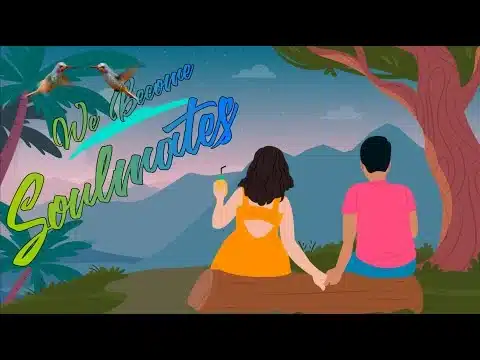
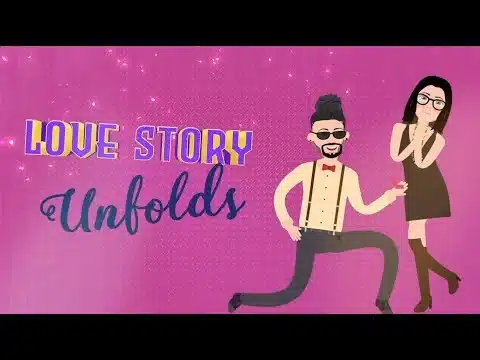
Watch We Became Soulmates Watch Love Story Unfolds
Story sample thumbnails from 3VIDEO. Open either link to watch the complete video.
Check the scope first. Moon Light’s feature notes retain the sample clothing, graphics and animation, with face replacement. The story-based invitation page says new scenes or a different structure need separate scope and pricing confirmation. Confirm which script changes your design supports.
Review the invitation before approving
Read every event detail. Check spelling, family names, dates, AM/PM, venue and city against one agreed list. Give each function its own details.
Watch it on a phone. Pause on the longest text screen. Make sure the invitation still makes sense with sound off.
Check photos and privacy. Confirm both partners approve the images and story. Use an RSVP contact only with that person’s permission.
Confirm the final scope. Check approved text, included changes, revision limits and delivery timing before production.
If narration carries essential information, include accurate captions or readable text too. W3C’s captions guidance explains why automatic captions need checking.
Confirm music permissions for your sharing channels. A song link alone does not establish permission. YouTube’s Audio Library guidance explains attribution requirements and limits to its off-platform assurances.
Send the video with a useful message
Keep the accompanying message short and repeat the date and venue. See WhatsApp wedding invitation wording for examples. If responses need collecting, use the wedding RSVP form guide. If the shared file looks soft, follow the blurry WhatsApp invitation guide.
Start your brief: Explore 3VIDEO story-based designs, then send your short story and event details for a scope check.