Want guests to come without bringing a present? Start with what you’re looking forward to: celebrating with them. Then, if the request matters, say it plainly. “Your blessings mean the most to us” sounds warm, but it doesn’t clearly tell guests to leave the gifts or शगुन at home.
Wedding: when you want blessings, not gifts
A warm closing line
English: Celebrating with you and receiving your blessings would mean so much to us.
हिंदी: इस खुशी में आपका साथ और आशीर्वाद हमारे लिए सबसे ज़्यादा मायने रखते हैं।
When you also mean no cash envelopes
English: Please don’t bring gifts or cash envelopes. We’d love to celebrate with you and have your blessings.
हिंदी: कृपया उपहार या नकद शगुन न लाएँ। इस खुशी के मौके पर बस आपका साथ और आशीर्वाद चाहिए।
If gifts are optional, not discouraged: “No need to bring a gift. We’d just love to see you.” “उपहार लाने की ज़रूरत नहीं है। आप बस जश्न में शामिल हों।”
Birthday or family card: Put one readable line below the RSVP, not next to the guest of honour’s name.
Video invite: Use the last slide if the line fits comfortably. If it makes the slide crowded, put it in the message that accompanies the video.
Formal wedding: Share the request separately. If cash or शगुन is also unwelcome, say so directly; “no boxed gifts” doesn’t make that clear.
Tara turns seven!Sunday, 4:00 pm · Maple Hall RSVP by ThursdayNo gifts, please. Come join the fun!
Fictional card layout: the event details come first, followed by the RSVP and a short no-gifts line.
What to say if a guest asks anyway
English: That’s so kind of you to ask! Please don’t bring anything. We’re just looking forward to seeing you.
हिंदी: पूछने के लिए बहुत धन्यवाद! आप कुछ मत लाइए, बस आइए। आपसे मिलकर हमें बहुत खुशी होगी।
If someone arrives with a gift anyway, thank them quietly and carry on with the celebration.
A Haldi invitation should say whose celebration it is, when guests should arrive and where to come. Choose a bride-side, groom-side or joint message below, then add your confirmed details. Keep the wording warm and the schedule easy to read.
All names and schedules below are fictional examples. Replace every bracketed detail. Use “with your family” or “सपरिवार” only when the invitation includes the guest’s family.
What should the invitation include?
The bride’s, groom’s or both partners’ names.
A complete date, day, start time and venue address.
Separate ceremony and meal times, if a meal is planned.
A contact for replies and a checked map link.
An optional dress preference, only if you want one.
For example, “Haldi: 10:00 AM • Lunch: 12:30 PM” is clearer than one unexplained time. Don’t add a programme simply because it appears in a sample.
1. Bride-side Haldi invitation
English
A little sunshine, a little Haldi and a lot of happiness! Please join us for our daughter Ananya’s Haldi ceremony.
Sunday, 29 November 2026 Haldi: 10:00 AM • Lunch: 12:30 PM [Venue name, full address] With love, the Sharma family RSVP: [Name and phone number]
Hindi
हल्दी के रंग और अपनों के संग! हमारी बेटी अनन्या की हल्दी की रस्म में शामिल होकर हमारी खुशी बढ़ाएँ।
रविवार, 29 नवंबर 2026 हल्दी: सुबह 10:00 बजे • भोजन: दोपहर 12:30 बजे [स्थान का नाम और पूरा पता] सप्रेम आमंत्रण: शर्मा परिवार आने की पुष्टि के लिए: [नाम और फ़ोन नंबर]
2. Groom-side Haldi invitation
English
The celebrations begin with Haldi! Join us as we celebrate our son Aarav’s Haldi ceremony.
Sunday, 29 November 2026 • 11:00 AM [Venue name, full address] With warm wishes, the Mehta family Please reply to [Name and phone number].
Hindi
हल्दी के साथ खुशियों की शुरुआत! हमारे बेटे आरव की हल्दी की रस्म में आपका स्नेहपूर्ण स्वागत है।
रविवार, 29 नवंबर 2026 • सुबह 11:00 बजे [स्थान का नाम और पूरा पता] सप्रेम आमंत्रण: मेहता परिवार आने की पुष्टि के लिए: [नाम और फ़ोन नंबर]
3. Joint Haldi invitation
Use this version only if both partners are celebrating at the same event.
English
Two families, one joyful celebration! Join Ananya and Aarav for their Haldi ceremony.
Sunday, 29 November 2026 Haldi: 10:30 AM • Lunch: 1:00 PM [Venue name, full address] Hosted by the Sharma and Mehta families RSVP by [date]: [Name and phone number]
Hindi
दो परिवार, खुशियों का एक उत्सव! अनन्या और आरव की हल्दी की रस्म में शामिल होकर इस दिन को और खास बनाएँ।
रविवार, 29 नवंबर 2026 हल्दी: सुबह 10:30 बजे • भोजन: दोपहर 1:00 बजे [स्थान का नाम और पूरा पता] सप्रेम आमंत्रण: शर्मा एवं मेहता परिवार कृपया [तारीख] तक आने की पुष्टि करें: [नाम और फ़ोन नंबर]
4. Short WhatsApp message
English You’re invited to Ananya’s Haldi! Join us on Sunday, 29 November at 10:00 AM at [venue and full address]. Location: [map link]. Please reply to [contact] by [date]. We’d love to celebrate with you!
हिंदी अनन्या की हल्दी में आपका स्वागत है! रविवार, 29 नवंबर को सुबह 10:00 बजे [स्थान और पूरा पता] पर हमारे साथ खुशियाँ मनाएँ। लोकेशन: [मैप लिंक]। कृपया [तारीख] तक [संपर्क] पर आने की पुष्टि करें।
Choose the right hosts. Replace “our daughter/son” if the couple, siblings or friends are sending the invitation.
Match both languages. Check names, date, time and venue in Hindi and English. Don’t let the Hindi version retain an earlier time.
Make arrival clear. If guests should arrive before the ceremony, write “Please arrive by 9:45 AM; Haldi begins at 10:00 AM.”
Keep dress wording optional. “Dress suggestion: yellow or any cheerful colour” / “पहनावे का सुझाव: पीला या आपकी पसंद का कोई खुशनुमा रंग।” Omit this line if there is no preference.
Test the location. Open the map link on a phone and check the entrance or venue pin. Follow Google Maps’ sharing instructions to copy a location or directions link.
Review the final invitation. Check the actual card or video, not only the text you submitted. Confirm that every detail stays readable on a phone.
Using the message in a video invitation
The Flora Hindu wedding invitation video lets you select Haldi and enter its date, day, time and venue. It is a multi-function wedding product, so confirm your required functions before ordering. Shorten a long family message to fit the sample’s text areas.
The product describes an artist-prepared personalized video delivered by WhatsApp or email. Check the available language and layout options before ordering; the wording examples here do not promise a separate printable card or a new animation style.
Actual product reference Thumbnail from the Flora product’s linked video sample. It illustrates the existing floral layout, not a verified Haldi slide. Watch the sample before choosing the design.
Final check: remove all placeholders, confirm the programme with your family and send yourself one test invitation before sharing it with guests.
A sundowner invitation should tell guests when to arrive, not just that the party happens at sunset. Give the arrival time first, then explain whether the evening includes light bites, dinner or both. These ready-to-use examples keep the mood relaxed and the plans clear.
Check sunset for the event location and date using a sunrise and sunset calculator. Then agree the arrival time with your venue. Allow guests time to reach the terrace, garden or lawn before the sunset moment you want them to share.
This is an illustrative schedule, not a sunset prediction. Replace the times with your confirmed plan. “5:00 PM onwards” alone leaves guests guessing whether arriving at 7:00 PM is fine. If arrival matters, write “Please arrive by 5:00 PM.”
You do not have to print the sunset time. A clear arrival time and “Dinner at 7:00 PM” may be all the card needs. If the event has a firm finishing time, include it too.
Ready-to-use sundowner invitation messages
Replace the bracketed details and keep only promises that match your event. Names and timings below are examples, not customer information.
1. Sundowner with dinner
An evening together, from sunset to supper.
Join [Host names] for a sundowner party on [Day, date] at [Venue, full address].
Please arrive by 5:00 PM. Welcome drinks and light bites from 5:00 PM. Dinner at 7:00 PM.
RSVP to [Name and contact] by [Date].
2. Drinks and light bites, without dinner
Let’s catch the sunset and catch up.
Join us for a relaxed sundowner on [Day, date], from [Start time] to [End time], at [Venue, address].
We’ll be serving [mocktails / cocktails and mocktails] with light bites; dinner is not planned.
Hosted by [Names]. Please reply to [Contact] by [Date].
“Light bites” is clearer than “refreshments” when guests need to decide whether to eat beforehand. Mention mocktails if they are available. Do not use cocktail wording for an alcohol-free event.
3. Pre-wedding sundowner
Before the wedding celebrations begin, spend an evening with us.
Join [Couple names] for a pre-wedding sundowner on [Day, date] at [Venue, address].
Arrival: [Time] Music and light bites: [Time] Dinner: [Time, only if included] Dress: [Optional, specific guidance]
RSVP: [Name and contact] by [Date].
4. Short WhatsApp invitation
Hi [Name], join us for a sundowner on [Day, date] at [Venue, address]. Please arrive by [Time] so we can enjoy the sunset together. [Dinner at Time / Light bites only, no dinner.] Let [Host] know by [RSVP date] if you can come. Venue pin: [Map link].
Add only details guests can act on
Dress: “Smart casual; comfortable shoes for the lawn.” A theme such as “sunset colours welcome” can be optional rather than a strict requirement. For a wedding function, see our dress-code wording examples.
Food: Choose a truthful line: “Dinner follows at 7:00 PM,” “Light bites only” or “Mocktails and dinner.” Paperless Post’s invitation guidance also recommends making food expectations clear.
Outdoor plan: Name the exact area, such as “Level 3 terrace,” and add a confirmed rain arrangement if needed. Share parking or access instructions only when useful. Send private entry codes directly to invited guests, not on a public sample.
See the real 3VIDEO sample
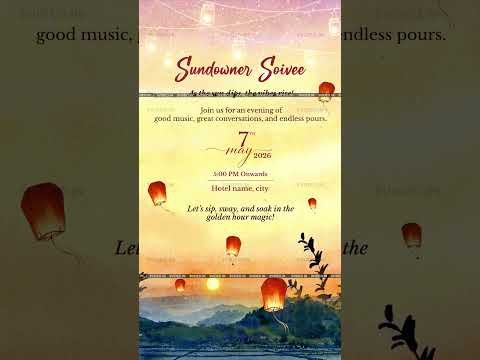
Existing 3VIDEO Sundowner Soiree sample thumbnail. Open the full sample to review its animation and text space; the displayed details are sample text.
The reference uses a warm sunset palette, glowing lanterns and a central text panel. Keep the decorative heading short; use the clearest text area for arrival, venue and dinner. Do not shrink all the details just to fit a longer opening line.
The product offers a personalized video based on the existing sample. Its description keeps the animation, graphics, music, colours and fonts unchanged while event details and text are customized. Confirm how many programme lines fit before ordering; a new layout is not assumed.
Before you send it
Check the host names, full date, arrival time with AM/PM, venue and address. Confirm the meal wording, RSVP contact and deadline. Remove unused brackets. Open the map link and read the finished video on a phone with the sound off.
A Christian wedding invitation can be warm and faithful without becoming a long announcement. Guests mainly need to know whose wedding they are attending, what the ceremony is called, and whether the invitation includes the reception.
These eight original examples cover invitations from parents and couples, a wedding with Mass, a ceremony without Mass, reception-only wording, WhatsApp and a short video. Choose the version that matches your plans, replace every bracketed field and keep only the events each recipient is invited to.
Confirm the couple’s preferred names, the actual hosts, full date and year, ceremony start time, church name and address, reception details and reply contact. If guests need to be seated earlier, label that separately from the service start time.
Use the ceremony name agreed with your church or celebrant. “Nuptial Mass” belongs only on an invitation to a wedding that actually includes Mass; a Catholic wedding can also take place without it. Other Christian traditions use their own wording.
A Bible verse is optional. If you include one, check the exact words and reference in the translation you have chosen. Do not turn a paraphrase into a quotation or let a long verse crowd out the event details.
Invitations from parents and couples
1 From both families
Use this when both families are issuing the invitation. Add titles only where the people named prefer them.
With joy and gratitude to God, [Names of the first family’s hosts] and [Names of the second family’s hosts] invite you to the wedding of [Name] and [Name]. Please join us as they begin their married life, surrounded by the people they love.
[Day, date, month, year] Wedding ceremony: [Time, AM or PM] [Church name, full address, city] Reception: [Time, venue and full address] Please reply by [Date] to [Contact name and number].
2 From the couple
This version speaks directly to your guests without presenting your parents as hosts.
We would love you to be with us as we exchange our marriage vows before God and celebrate with family and friends. With love, [Name] and [Name]
Wedding: [Day, date, month, year] at [Time, AM or PM] [Church name, full address, city] Please join us afterwards for [Lunch or dinner] at [Time], [Reception venue and address]. Let [Contact name and number] know by [Date] whether you can join us.
3 From one parent
A single host line can feel complete on its own. Include other family members only as the host and couple wish.
It would mean so much to have you with us as my [Daughter or son], [Name], marries [Partner’s name]. Please join our family for their wedding and the celebration afterwards. With warm wishes, [Parent’s name]
[Day, date, month, year] Wedding: [Time, AM or PM], [Church name and full address] Reception: [Time, AM or PM], [Venue and full address] Please reply to [Contact name and number] by [Date].
Wording for the confirmed ceremony
4 For a wedding within Mass
Use this only after the parish confirms that the wedding will include Mass. The host line can name the couple, one family or both families.
[Hosts’ names] request the honour of your presence at the Nuptial Mass celebrating the marriage of [Name] and [Name]. Your presence and prayers would mean a great deal to us.
[Day, date, month, year] Please be seated by [Time, AM or PM] Mass begins at [Time, AM or PM] [Church or parish name, full address, city] Reception: [Time, venue and full address] RSVP by [Date] to [Contact name and number].
5 For a wedding ceremony without Mass
You do not need to announce “without Mass” on the card. Name the wedding ceremony as your church recommends.
Together with our families, we invite you to our wedding ceremony as we make our marriage vows and begin this new chapter together. [Name] and [Name]
[Day, date, month, year] Ceremony begins at [Time, AM or PM] [Church name, full address, city] Reception to follow at [Time], [Venue and full address]. Please reply by [Date] to [Contact name and number].
A separate reception invitation
6 When the ceremony is a smaller gathering
Send this to guests invited to the reception rather than the church service. Leave the private ceremony’s time and address out of this version.
Following our wedding ceremony with close family, we would be delighted to celebrate our marriage with you at our reception. Please join us for [Lunch or dinner], conversation and good company. With love, [Name] and [Name]
Reception: [Day, date, month, year] at [Time, AM or PM] [Venue name, full address, city] Please let [Contact name and number] know by [Date] whether you can attend.
If the reception is on a later date, make that date prominent rather than relying on the wedding date elsewhere in the invitation.
Short WhatsApp and video wording
7 A personal WhatsApp message
Hi [Guest’s name], we’re getting married and would love you to join us! Our wedding is on [Day, date, month, year] at [Time, AM or PM], [Church and full address]. The reception is at [Time], [Venue and full address]. We’ve attached our invitation. Church map: [Link]. Reception map: [Link]. Please reply here by [Date] to let us know if you can attend. With love, [Names].
For a reception-only guest, use example 6 instead. For different sending situations, see our WhatsApp wedding invitation guide.
Keep the ceremony and reception on separate screens so guests can read each destination. This is sample wording, not a promise about the number of scenes included in a design.
Opening With grateful hearts, we invite you to our wedding.
Couple [Name] and [Name] Together with [Hosts or families, if wanted]
Ceremony [Confirmed ceremony name] [Full date] at [Time, AM or PM] [Church name and full address]
Reception [Full date] at [Time, AM or PM] [Venue name and full address]
Closing We look forward to sharing this day with you. Please reply by [Date] to [Contact name and number].
Keep church and reception details distinct
“Reception follows” is enough only when guests can tell where and when to go. Otherwise write a second labelled block with its own date, time and address. If there is a gap, say when reception guests should arrive. Add transport or parking information only when confirmed.
Use a separate map link for each venue. If you are sharing a PDF, the map buttons need working hyperlinks, not just pictures of buttons.
The Flora Christian Wedding Invitation is one visual reference in our Christian collection. Its floral styling and cross motif can help you decide whether this look suits your celebration. Confirm the available scenes and wording space for the selected design before ordering.
Actual 3VIDEO product thumbnail, not a newly created example invitation. Open the product page to view the sample; this still image does not show every scene.
Read the final card or video as a guest: is the ceremony name right, is every address complete, and is it clear which events you can attend? Check both venues, host names, AM or PM times and the reply contact. Remove every placeholder and test the received invitation on a phone.
Ask the couple to approve any faith wording and the church to confirm the ceremony description when needed. For the rest of the final review, use our wedding invitation proofreading checklist.
Tell guests which date to keep free without squeezing the full wedding invitation into one message. Choose a sample below, replace the names and confirmed details, and keep the line that says the full invitation will follow.
All names, dates and places in the message samples are fictional examples. Replace them before sharing.
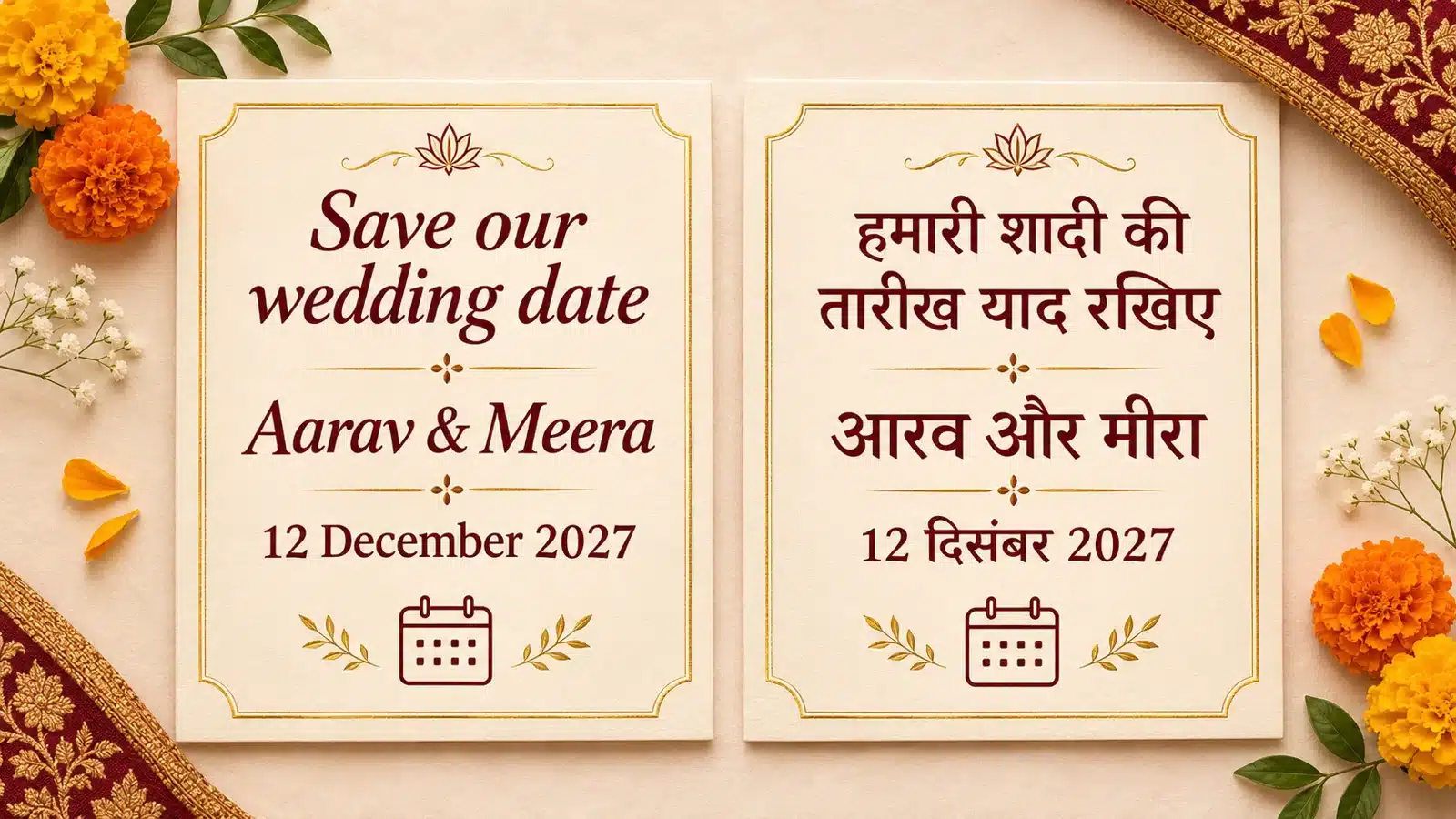
We’re getting married! Please keep 12 December 2027 free for the wedding of Aarav and Meera in Jaipur. We would love to celebrate with you. Our wedding invitation will follow.
2 From the parents
With happy hearts, the Sharma and Kapoor families announce the wedding of Meera and Aarav on 12 December 2027 in Jaipur. Please save the date and join us in wishing them well. A formal invitation with the ceremony details will follow.
3 Short WhatsApp message
Aarav + Meera 12 December 2027 | Jaipur A special day, made better with you. Please save our wedding date! Invitation to follow.
Hindi save the date messages
In Hindi, a direct request such as “कृपया यह तारीख हमारे लिए खाली रखें” feels clearer than translating “save” word for word. Choose a tone that sounds natural for your family.
4 सरल और आत्मीय संदेश
हम शादी कर रहे हैं! 12 दिसंबर 2027 को जयपुर में आरव और मीरा के विवाह का शुभ अवसर है। कृपया यह तारीख हमारे लिए खाली रखें। आपकी मौजूदगी हमारी खुशी बढ़ाएगी। विवाह का निमंत्रण और कार्यक्रम का विवरण जल्द भेजेंगे।
5 माता पिता की ओर से
शर्मा और कपूर परिवार को यह बताते हुए खुशी हो रही है कि मीरा और आरव का विवाह 12 दिसंबर 2027 को जयपुर में होगा। कृपया इस शुभ अवसर के लिए समय निकालें और अपना आशीर्वाद दें। विस्तृत विवाह निमंत्रण जल्द भेजा जाएगा।
6 छोटा WhatsApp संदेश
आरव और मीरा 12 दिसंबर 2027 | जयपुर हमारी शादी की तारीख याद रखिए! इस खुशी में आपका साथ चाहिए। विवाह का निमंत्रण जल्द भेजेंगे।
Want a more formal Hindi closing? Use “औपचारिक निमंत्रण शीघ्र भेजा जाएगा।” For a personal message, “बाकी जानकारी जल्द भेजेंगे” is simpler.
Bilingual and video wording
7 One bilingual announcement
Aarav & Meera | आरव और मीरा Save our wedding date | हमारी शादी की तारीख याद रखिए 12 December 2027 | 12 दिसंबर 2027 Jaipur | जयपुर Invitation to follow | विवाह का निमंत्रण जल्द भेजेंगे
Keep the names and date equally readable in both languages. If the design looks crowded, use two matching cards instead of shrinking the Hindi text.
8 A short save the date video
Slide 1: A new chapter begins Slide 2: Aarav & Meera Slide 3: Save the date • 12 December 2027 • Jaipur Slide 4: We can’t wait to celebrate with you. Invitation to follow.
Hindi alternative for the same four slides:
स्लाइड 1: एक नए सफर की शुरुआत स्लाइड 2: आरव और मीरा स्लाइड 3: हमारी शादी • 12 दिसंबर 2027 • जयपुर स्लाइड 4: इस खुशी में आपका साथ चाहिए। विवाह का निमंत्रण जल्द भेजेंगे।
Let each slide finish its sentence before it moves away. Give the names and date more screen time than the decorative opening. Watch the final video on a phone and check that both languages can be read comfortably.
Make any sample your own
Choose who is speaking: the couple or the families. Replace the names, full date and confirmed city. Add a brief personal line if you want one. Leave the detailed ceremony schedule, dress code and formal RSVP instructions for the invitation.
Before sending, confirm the guest list, both names, full date and city. Spell out the month so “12/11” cannot be misunderstood. Keep the same details in both languages, remove every sample name, and check Hindi matras in the exported image or video. If the city is not confirmed, omit it rather than guessing.
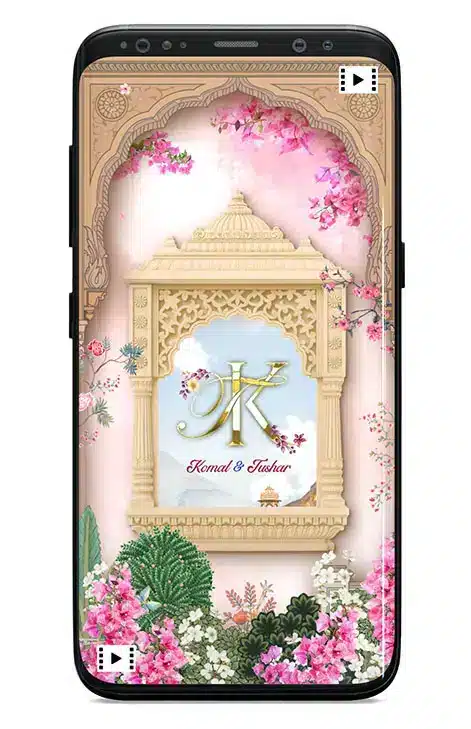
Actual 3VIDEO product reference: a floral architectural save the date video cover. The names shown belong to the existing product sample, not the fictional wording above. Use it as a visual style reference, not a final text layout.
Choose a design after the wording is settled. Ask for the couple’s names and wedding date to be the easiest details to read, with “Invitation to follow” clearly visible at the end.
A clear reference photo helps a designer see your features. It does not need wedding clothes or a studio background. Before choosing photos, check whether your invitation actually includes custom faces: some designs use fixed sample characters.
Do not assume that “caricature” means a fully custom drawing. Check the individual product’s options before sending photos or paying for changes.
Custom-face option: confirm which faces can be changed and what reference photos are needed.
Fixed-character option: the sample characters may stay unchanged, even when names and event details are personalized.
Face changes are not automatically outfit, pose, body, hairstyle or animation changes. Ask about these separately.
For example, The Royal Love Kingdom invitation currently offers “With your face” and “Without your face” options and requests clear front-facing photos for face personalization. Its sample style, graphics and animation remain the reference. This is a product-specific example, not a promise for every design.
Start with one recent, clear photo of each person. Add an alternative only if it clarifies a feature or the designer requests it.
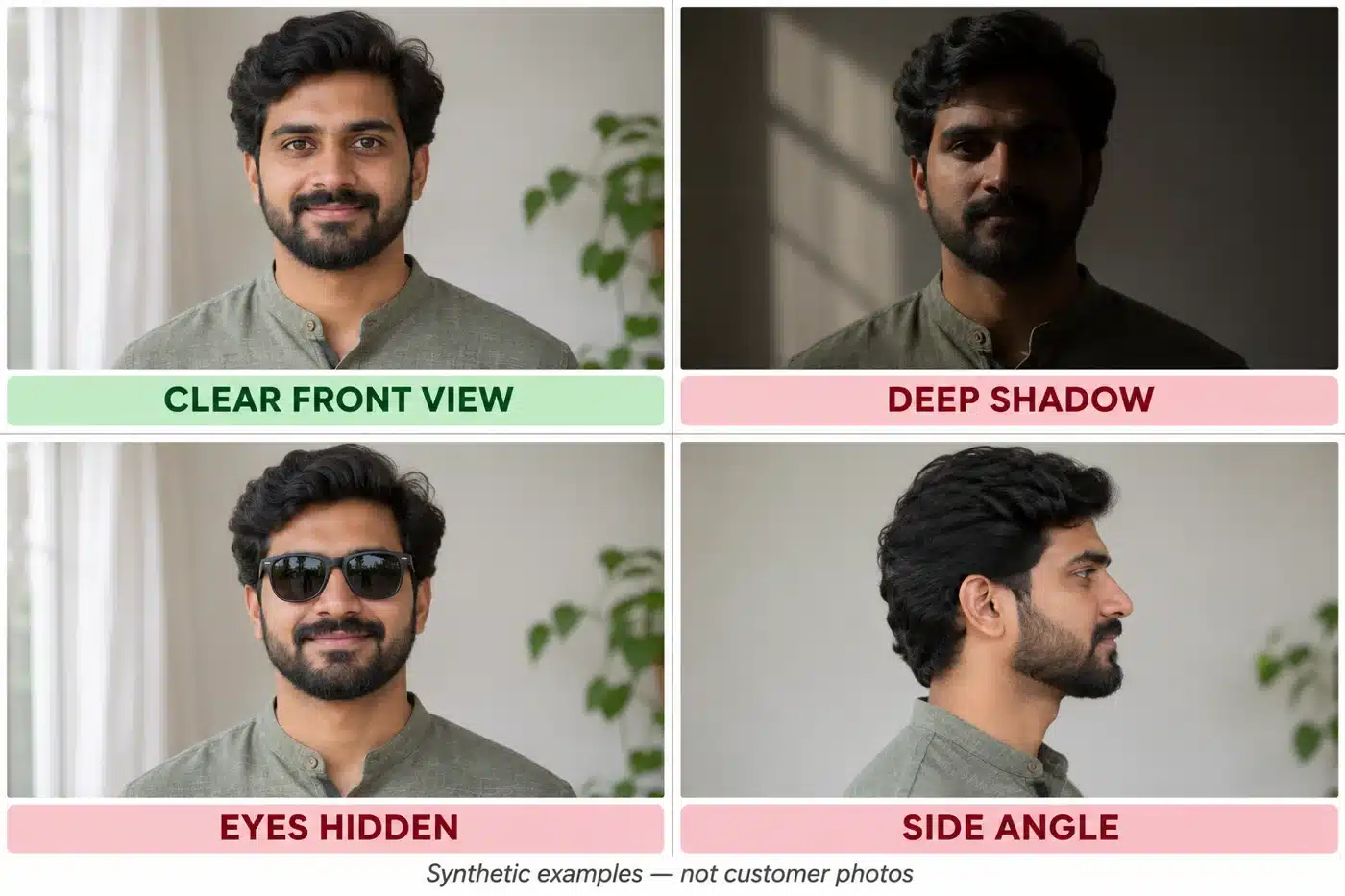
Face the camera at roughly eye level, with both eyes visible and the head fully inside the frame.
Choose even light. Avoid deep shadows across the eyes or bright light that washes out facial detail.
Use a sharp image without beauty filters, heavy retouching or motion blur.
Keep the face easy to see. Avoid sunglasses, hair across the eyes and hands hiding the cheeks or chin.
Send the original file when possible, not a screenshot of a social post or a repeatedly forwarded copy.
Quick comparison: which photo would you send?
Use these practical examples to compare your own pictures. They describe photo choices, not guaranteed caricature results.
Synthetic portrait examples, not customer photos. The clear front view is the strongest primary reference; the others obscure useful facial information.
Better reference
Replace or clarify
Solo, eye-level portrait with the full head visible
A group shot where the face is tiny
Even window light and visible eyes
Sunglasses or a shadow hiding the eyes
Recent photo with the beard or hairstyle you want
Old clean-shaven photo when you want a current beard
Natural facial features and sharp detail
Beauty filter, blurred selfie or social-media screenshot
Straight-on image with a relaxed expression
Strong side angle or camera held very close to the face
A real product reference
Public 3VIDEO product preview: The Royal Love Kingdom. This shows the invitation’s decorative style, not a before-and-after likeness example. Check the full product sample and selected customization option.
Example: a wedding portrait may look beautiful but hide one face behind flowers. A simple, sharp daylight portrait can be a more useful face reference. Keep the wedding portrait as an optional outfit reference only if outfit changes are supported.
3. Retake a photo in a few minutes
Stand near a window with soft light on your face. Use a plain background.
Hold the phone at eye level. Step back rather than taking an extreme close-up.
Face the camera, keep hair away from the eyes and use a relaxed expression.
Check the eyes and facial detail before sending. Retake if the image is blurred or shadowed.
These tips follow basic portrait principles: sharp eyes, eye-level framing, controlled background and flattering light. See Nikon’s portrait photography guide for visual photography guidance. A professional camera is not necessary.
4. Send photos with a short, clear brief
Confirm the upload method and accepted file type on your selected product. Do not assume every template accepts the same files or has the same size limit. Share only portraits you have permission to use.
Copy and adapt this message:
Hello! We selected [design name] with the custom-face option.
Please use the hairstyle and beard shown in these recent photos. [Glasses preference, if relevant.] We understand the sample outfits and poses stay unchanged unless agreed otherwise.
Please confirm whether these photos are suitable before you start. Let us know if you need a clearer image or a different angle.
Useful detail: “Please keep the glasses shown in groom-front.jpg.” Less useful: “Make everything exactly like us.” Specific references are easier to review, while the finished artwork will still be stylized.
5. Review the proof before approval
Check that each reference photo was matched to the correct person.
Compare visible features such as glasses, beard and hairstyle with the agreed brief.
Check face placement, awkward cropping and readability in the actual invitation scenes.
Send one consolidated correction list with scene times or screenshots where needed.
Check names, dates, venue and event details separately before final approval.
A caricature is stylized artwork, not a guaranteed exact likeness. The result depends on the chosen design, customization scope and reference photos.
Before sending: correct design option, clear face photos, original files, specific preferences and permission to use the portraits. That is a stronger starting point than a large folder of mixed images.
A good office invitation answers three questions quickly: who is invited, what is happening and how to reply. Choose the message below that matches your guest list, then replace every bracketed detail before sending it.
An annual day may include presentations, performances and awards. A year-end party may simply be a chance for colleagues to spend time together. Name the event accurately and promise only the activities you have confirmed.
Confirm the company and event name, full date, start and finish times, venue and address, eligible guests, RSVP deadline and one reply method. Add a time zone for remote guests. If arrival and the programme start differ, label both.
Avoid an unexplained “with family.” Specify who may attend and any guest limit. Add dress code, transport or parking details only when they are relevant and confirmed. Keep a long programme in a separate attachment or link.
1 Annual day email for employees
Subject: [Company] Annual Day on [Date] | RSVP by [Deadline]
Dear team, Please join us for [Company] Annual Day as we recognise the work of our colleagues and spend an evening together.
Date: [Full date] Arrival: [Time] | Programme: [Start–finish time] Venue: [Venue name, full address] Programme highlights: [Confirmed activities] This event is for [Company] employees.
Please confirm your attendance by [Deadline] using [RSVP link or contact]. We look forward to seeing you. [Name / Organising team]
2 Year end party for employees
Subject: Join our year-end celebration on [Date]
Hi team, Let’s make time to celebrate the year together. You’re invited to the [Company] year-end party for [confirmed food or activity].
When: [Full date], [Start–finish time] Where: [Venue and address] Guests: [Company] employees only Dress: [Confirmed dress guidance, or remove this line]
Please reply through [RSVP method] by [Deadline]. See you there, [Organising team]
Keep the subject easy to recognise. “Annual Day on [Date]” tells employees more than “Something exciting is coming.” Mailchimp’s invitation guidance also puts essential details and a clear next action at the centre of the email.
Dear colleagues, Please join us for [Company]’s annual celebration with your partner and children. We’re planning [confirmed activities] and would love to share the evening with you.
Date and time: [Full date], [Start–finish time] Venue: [Venue and address] Please RSVP by [Deadline] through [Method], including the number of adults and children attending.
For dietary requirements or accessibility requests, please contact [Organiser] privately at [Contact]. [Organising team]
Use “partner and children” only if that is the approved guest policy. For a one-guest event, replace it with “You are welcome to bring one guest.” Ask only for the attendee information needed to organise the event.
4 Awards dinner invitation
Subject: [Company] Awards Dinner | [Date]
Dear [Name / Team], You are invited to the [Company] Awards Dinner, recognising the contributions of our colleagues. Join us for the awards presentation followed by dinner.
Kindly confirm attendance by [Deadline] at [RSVP method]. [Host / Organising team]
Do not imply that every recipient is receiving an award. If the dinner is only for nominees or invited guests, say so. Publish winner names only when the organisers have approved their release.
5 Short WhatsApp covering message
Hi [Name], you’re invited to [Company]’s [Event] on [Full date], [Start–finish time], at [Venue and address]. [Guest policy]. The invitation is attached. Please RSVP by [Deadline] through [Method]. We hope you can join us!
Include the key details as text even when you attach a card or video. A guest should not have to replay the video to find the address. If the video becomes difficult to read after sharing, use our practical troubleshooting guide.
Hi [Name], a quick reminder to confirm whether you can attend [Event] at [Venue] on [Full date], [Time]. Please respond by [Deadline] using [Method] so we can finalise arrangements. If you have already replied, thank you; no further action is needed.
Use one response method consistently. A reply address or RSVP line on a digital invitation tells people where to respond; it does not automatically track attendance. If you use a form, test it as an invited employee before sharing.
Make requests easy to raise
Give guests a private contact for accessibility requests. W3C’s event checklist recommends asking participants about their requirements. Avoid asking people to share personal needs in a group chat.
Keep the event title, date and venue easy to read on a phone. Put the reply instruction where guests can find it without searching. For a video, ask the designer to confirm that the final details screen remains visible long enough to read.
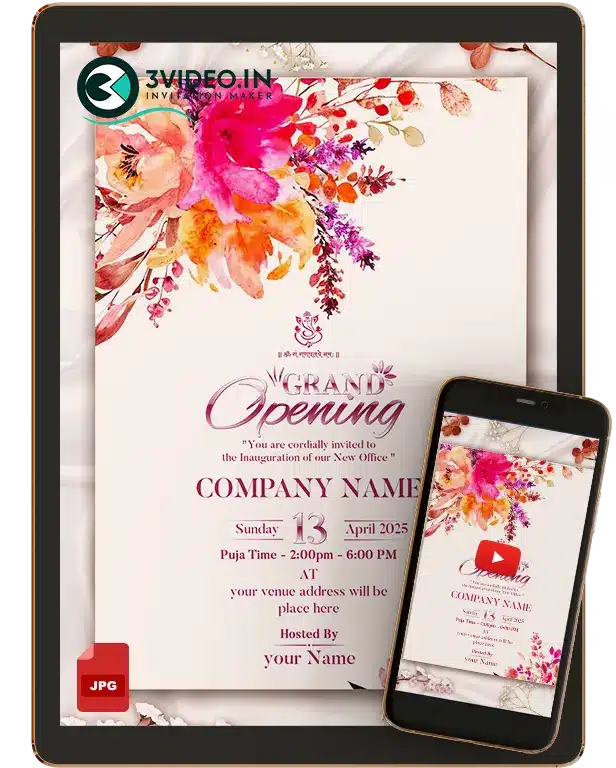
Actual 3VIDEO all-purpose sample: the current preview uses floral office-opening wording. It is a format reference, not a finished annual-day design. Confirm whether the wording, branding and layout can be adapted before ordering.
Format reference only; confirm adaptation for your event.
Before sending: check the audience and guest allowance; match date, weekday and times; open the venue and RSVP links; remove unused placeholders; read the invitation on a phone; and confirm the organiser is ready to receive replies.
Once the wording is approved, compare the current corporate invitation designs and confirm the available format, branding changes, price and delivery for your selected sample.
A story-based wedding invitation introduces your journey and then gives guests the details they need. Prepare two or three meaningful moments, a short line for each, and accurate event information. That is enough to start a useful conversation with your designer.
Start with how you met, one detail that feels like you, and the decision to marry. A shared love of weekend walks can say more than a full timeline. Use only details both of you are happy to share with everyone receiving the invitation.
Before: “We were introduced by a friend in 2021, then met for coffee after work and kept talking until the café closed.”
For the screen: “One introduction. A coffee that lasted all evening.”
Keep the longer version in your brief as context. Leave out private messages, exact home addresses and stories that need a long explanation. You can also begin with your engagement if you prefer not to share how you met.
Write one clear thought per scene
Choose a sample before finalising the script. List each available scene, the words you want on screen, and any photo it needs. Keep names, dates and venues easy to read. If a line feels rushed on a phone, shorten it or ask whether another text screen is possible.
The examples below are fictional writing exercises, not customer stories or guaranteed template layouts. The designer must confirm which lines and scene order fit the chosen design.
Sample one Friends to partners
Scene
On-screen words
Visual direction to confirm
Opening
Meera & Arjun Introduced by friends in 2021.
Use the chosen sample’s opening or couple frame.
A shared memory
One coffee became a thousand conversations.
Use an existing photo or text frame. A new café scene is not assumed.
The decision
Now, with our families, we begin our next chapter.
Use the closing frame. Omit RSVP if handled elsewhere.
Sample two Introduced by family
Scene
On-screen words
Visual direction to confirm
Opening
Isha & Kabir Our families introduced us.
Use the chosen sample’s opening.
Connection
A first conversation. Shared plans. A future together.
Use existing couple or text frames; confirm text space.
Wedding details
Together with our families, we invite you. [Date] · [Time] · [Venue, city]
Split across available screens if needed.
Closing
We would love to celebrate with you.
Use the agreed closing frame.
These lines can be simple and direct. You do not need a dramatic proposal, a long relationship or a public love story to make the invitation personal.
Copy this brief for your designer
Selected sample and link: [design] Names and pronunciation: [couple and any family names to include] Our story in three lines: [beginning] / [shared moment] / [decision] Approved on-screen script: [scene-by-scene text] Events: [function, full date, time with AM/PM, venue and city] Assets: [approved photos, filenames and intended use] Preferences: [language, tone, music reference, RSVP wording] Please confirm: [scene limits, text length, photo requirements, revisions and delivery date]
Use real samples as visual references
Compare complete sample videos before choosing. These two 3VIDEO examples show a caricature-led love story and another animated couple story.
Story sample thumbnails from 3VIDEO. Open either link to watch the complete video.
Check the scope first. Moon Light’s feature notes retain the sample clothing, graphics and animation, with face replacement. The story-based invitation page says new scenes or a different structure need separate scope and pricing confirmation. Confirm which script changes your design supports.
Review the invitation before approving
Read every event detail. Check spelling, family names, dates, AM/PM, venue and city against one agreed list. Give each function its own details.
Watch it on a phone. Pause on the longest text screen. Make sure the invitation still makes sense with sound off.
Check photos and privacy. Confirm both partners approve the images and story. Use an RSVP contact only with that person’s permission.
Confirm the final scope. Check approved text, included changes, revision limits and delivery timing before production.
If narration carries essential information, include accurate captions or readable text too. W3C’s captions guidance explains why automatic captions need checking.
Confirm music permissions for your sharing channels. A song link alone does not establish permission. YouTube’s Audio Library guidance explains attribution requirements and limits to its off-platform assurances.
A wedding logo is a small design built around your names, initials or a shared motif. Before choosing one, decide where it will appear and what guests should be able to read. A logo that looks lovely on a large screen may need a simpler version for a small invitation corner.
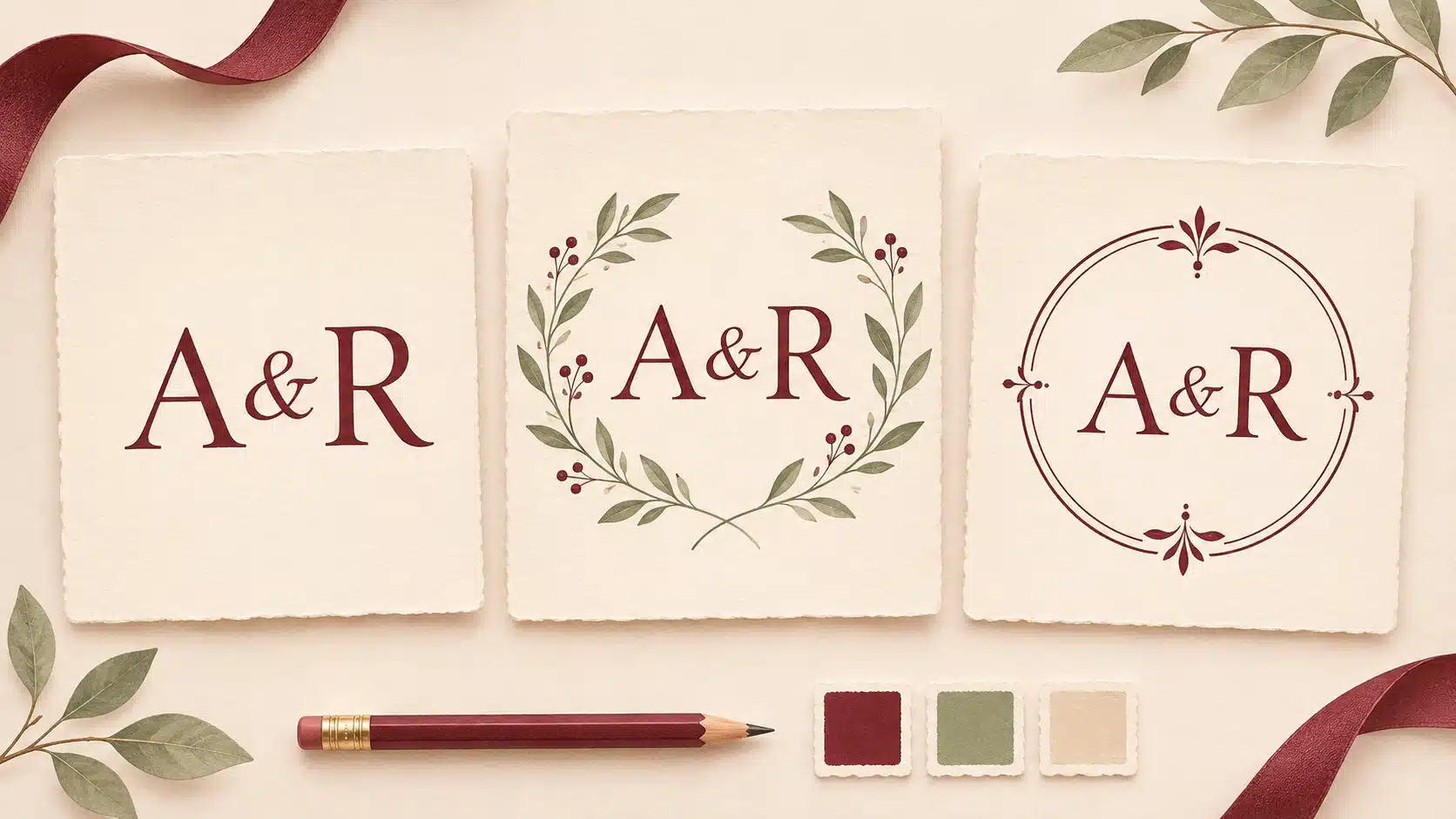
Illustrative design directions using fictional initials, not examples of a delivered 3VIDEO order.
List the actual uses: a WhatsApp invitation, video opening, welcome board, envelope or favour tag. Give the designer the smallest placement and the largest printed size you expect to need. The logo can be prominent on an opening screen and smaller beside the event details.
Write both names exactly as they should appear, then confirm the initials and reading order together. If your family follows a particular convention, tell the designer. Do not rely on a template to decide whose initial comes first or whether a shared surname belongs in the design.
For Aanya and Rohan, compare A & R with R & A before choosing. An ampersand keeps two letters distinct. Interlocking letters can feel more decorative, but both should still be recognisable. If both initials are A, a separated A & A or the full first names may read more clearly than overlapping them.
Use a date only if you want it in the logo. Keep a version without the date in mind for other functions. If you need Hindi or another script, send the exact characters and ask someone who reads that language to check the proof.
Pick a style that suits the invitation
Choose one main direction rather than combining every motif you like. Simple lettering suits a quiet layout. A floral frame can echo flowers already used in the invitation. An ornamental emblem can suit a more detailed design, provided the lettering remains clear.
Give specific feedback: “We like the thin circular frame and open space around the letters” is more useful than “Make it royal.” Share two or three references and name what you like in each. Treat other couples’ designs as references, not artwork to copy exactly.
Compare three real 3VIDEO samples
These are existing gallery thumbnail stills, shown in the same order below. Open the linked videos to see the full samples. The thumbnail is a visual reference, not your final artwork or a file specification.
Logo 02 Illustrated floral frame. Decorated elephants and flowers surround the centre. Choose this direction when those motifs fit your celebration, and check that your initials have enough space.
Logo 10 Lighter floral circle. A fine gold circle and two flower clusters leave more open space. Check how clearly the pale lettering reads on a phone.
Logo 16 Dark decorative monogram. Gold M and K letters and fine flourishes sit on black. Ask how your initials will read at a smaller size and on a light background.
Tell the designer what you need to do with the logo, then agree the deliverables. A finished invitation containing a logo is different from receiving a separate logo file.
For placing it over other artwork, ask whether a transparent PNG can be supplied at the required pixel size. Adobe explains PNG transparency. For larger print use, ask whether a vector version is available and suitable for the design. Adobe’s raster and vector guide explains why vector shapes scale without pixelation. A PDF filename alone does not guarantee vector artwork.
If the logo will appear on a welcome board, get the printer’s accepted format and size first. Our welcome-board printer checklist covers that handover.
Confirm the price, included changes, delivery time, separate-file availability and any extra charge for source files, new artwork or animation before paying. Do not assume an editable file, transparent background or animated version is included.
Copy this designer brief
Replace the brackets, delete anything you do not need, and send it with your references.
Names and spelling: [Name 1] and [Name 2].
Logo text: [Exact initials or names], in this order: [order]. Script: [language].
Colours and backgrounds: [Colours]. It will sit on [light / dark / both].
References: [Links or sample numbers]. We like [specific details]. Please avoid [details].
Uses and sizes: [Invitation format, logo placement size, largest print size].
Versions requested: [With or without date, light or dark background, static or animated].
Files requested: [Formats and sizes needed by the printer or editor]. Please confirm availability.
Budget and timing: [Budget] and [date needed].
Please confirm: The total price, included revisions, delivery date and any extra cost before starting.
Example: “Aanya and Rohan, A & R in that order, no date. A thin floral circle in burgundy and sage on ivory. Use it in the opening of our invitation video and on a 40 mm favour tag. Please confirm the suitable files and quote for both uses.”
Review the actual version you will use, not only an enlarged preview. Ask the designer to place it on the invitation background and show the smallest planned size.
Letters and wording. Check the exact initials, order, names, script and date. Look for letters that merge or resemble a different character.
Small details. Read the design on a phone. If you are printing, check a proof at the intended physical size. Thin lines and tiny names may need simplifying.
Backgrounds. Check the light and dark versions you requested. A transparent background alone will not make pale letters readable everywhere.
Video use. Watch the complete preview. Check when the logo appears, whether it stays visible long enough to read, and whether it covers useful invitation details.
Delivered files. Open each agreed file. Check dimensions, background and spelling, and confirm that the printer or editor can use it.
Send one clear correction message, such as: “Please keep A first, separate the two letters slightly and remove the date. Show the revised logo on the ivory invitation background and at the favour-tag size.”
Browse the 3VIDEO wedding-logo collection, shortlist a sample and share the completed brief. Confirm what can be customised and which files are included before ordering.
A retirement invitation should make two things clear: who is being honoured and who is inviting the guests. Below are ready-to-edit messages for office farewells and family celebrations, in Hindi and English. Choose the closest example, replace every bracketed detail, and keep only the activities you have actually planned.
You can use the wording on a printed card, in a WhatsApp message, or as the script for a digital invitation. A meal, पूजा or felicitation ceremony is optional, not a required part of a retirement celebration.
This version uses सेवानिवृत्ति for retirement and सम्मान समारोह for a planned felicitation event. Keep सम्मान समारोह only if that event is part of the programme.
सेवानिवृत्ति सम्मान समारोह
[संस्था या विभाग का नाम] की ओर से [पूरा नाम], [पदनाम] की सेवानिवृत्ति के अवसर पर आयोजित सम्मान समारोह में आप सादर आमंत्रित हैं।
आइए, हम उनके योगदान के प्रति आभार व्यक्त करें और जीवन के इस नए पड़ाव के लिए शुभकामनाएँ दें।
दिनांक: [दिन, तारीख, महीना, वर्ष] समय: [समय, सुबह/दोपहर/शाम/रात] स्थान: [स्थल का नाम और पूरा पता]
आयोजक: [संस्था या विभाग का नाम] कृपया [अंतिम तारीख] तक [संपर्क व्यक्ति और फोन नंबर] को अपने आने की सूचना दें।
6 Short Hindi invitation from colleagues
A shorter message for colleagues to share directly. It does not imply a ceremony, meal or employer-hosted event.
हमारे सहकर्मी [पूरा नाम] की सेवानिवृत्ति के अवसर पर एक स्नेहपूर्ण मिलन में आप सादर आमंत्रित हैं।
आइए, साथ बिताए पलों को याद करें और उन्हें आने वाले समय के लिए शुभकामनाएँ दें।
दिनांक: [दिन, तारीख, महीना, वर्ष] समय: [समय, सुबह/दोपहर/शाम/रात] स्थान: [स्थल का नाम और पूरा पता]
आयोजक: [सहकर्मियों या टीम का नाम] कृपया [अंतिम तारीख] तक [संपर्क व्यक्ति और फोन नंबर] को अपने आने की सूचना दें।
For guests who prefer different languages. The shared detail lines reduce repetition; both introductions identify the same honouree and family host.
Please join our family to celebrate [Full name]’s retirement and share your good wishes.
आइए, हमारे परिवार के साथ [पूरा नाम] की सेवानिवृत्ति का उत्सव मनाएँ और उन्हें शुभकामनाएँ दें।
Date / दिनांक: [DD Month YYYY / तारीख, महीना, वर्ष] Time / समय: [Time, AM or PM / समय, सुबह/दोपहर/शाम/रात] Venue / स्थान: [Venue name and full address / स्थल का नाम और पूरा पता] Hosted by / आयोजक: [Hosts’ names / आयोजकों के नाम] RSVP / आने की सूचना: [Contact name and phone number / संपर्क व्यक्ति और फोन नंबर] Please reply by / कृपया इस तारीख तक बताएँ: [Date / तारीख]
Use one shared details block only if every guest can read it. Otherwise repeat the full details in Hindi and English and check that the dates, times and addresses match. Ask the honouree to confirm the spelling of their name in both languages.
Final wording and sharing checks
Name the hosts clearly. An employer, a group of colleagues and a family are different hosts. Keep the retiring person’s name separate from the “Hosted by” or “आयोजक” line.
Be clear about who is invited. Add “with your family” or “सपरिवार” only when the invitation includes the family. Use the invited guests’ names when the gathering is limited.
Check the date and time. Write the month in words, include the year, and use AM/PM or सुबह, दोपहर, शाम or रात. If a ceremony and meal have different times or venues, give each its own line.
Include only confirmed details. A पूजा, सम्मान समारोह, meal or dress code should appear only when the hosts have planned it. Mention years of service or a job title only after checking them.
Test the final version. Remove unused brackets, check Hindi vowel marks, read it on a phone, and make sure the contact number and venue pin are right.
For a video, shorten the chosen message into a simple sequence: the honouree and occasion, a warm invitation, the date and venue, then the hosts and reply contact. Add a separate meal or ceremony screen only if needed and supported by the chosen design. Keep enough time for viewers to read each screen.
Explore the 3VIDEO retirement invitation collection, then confirm the language, format, text length and current customization options for your chosen design. A bilingual sample here does not mean every design supports both languages.
Existing design references
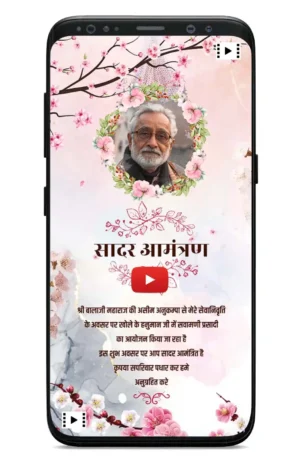
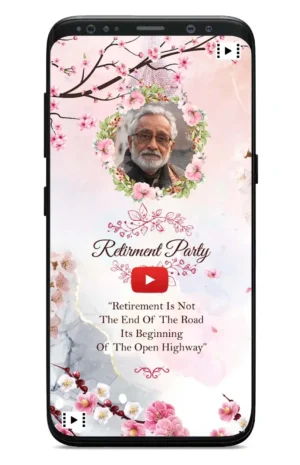
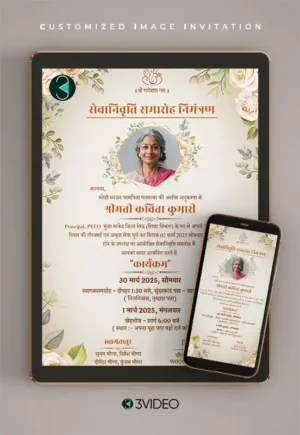
These are previews of existing 3VIDEO products, not mockups of the wording above or blank templates. Open each product page to see the full design.
Use the first person and sign with the retiree’s own name. For example: “I would love you to join me as I celebrate my retirement.” In Hindi: “अपनी सेवानिवृत्ति की खुशी में मैं आपको सादर आमंत्रित करता हूँ।” Use “करती हूँ” if appropriate. Keep the same date, venue and reply details, but do not describe the family or office as the host unless they are hosting.