A factory inauguration invitation should tell guests which gate to use, when to arrive and what they’re invited to attend. If check-in opens at 10:00 a.m. and the ribbon-cutting starts at 10:30 a.m., list both. Mention a plant tour only if it’s confirmed, and say whether guests need to opt in.
Use the formal email for clients and business partners or the short WhatsApp message for a quick invite. Replace the bracketed details before sending.
Host and occasion: Name the company and the new factory or facility.
Arrival and ceremony: Give the full date, including year, plus separate check-in and ceremony times if they differ.
Venue and gate: Give the full address and a map pin for the visitor entrance. Add parking directions if guests need them.
RSVP: Give a reply deadline and one clear reply method. Ask about the tour separately if you need a headcount.
1. Formal email for clients and partners
Subject: Invitation to the inauguration of [Company]’s new factory | [Date]
Dear [Name],
On behalf of [Company], I invite you to the inauguration of our new manufacturing facility in [City]. Please join our team and business partners for the opening ceremony and ribbon-cutting.
Date: [Day, date, month and year] Guest check-in: [Time] Ribbon-cutting: [Time] Venue: [Factory name, full address and visitor gate] Directions: [Visitor-gate map link]
Please RSVP by [Date] to [Contact name and email].
Kind regards, [Name] [Title], [Company]
2. Ribbon-cutting invitation card
[Company] invites you to the inauguration of its new manufacturing facility.
[Day, date, month and year]
Guest check-in: [Time] | Ribbon-cutting: [Time]
[Factory address] · Visitor entry at [Gate]
Please RSVP by [Date]: [Contact]
Illustrated excerpt with fictional details. Include the full date, address and RSVP in the final artwork.
3. Short WhatsApp invitation
Hi [Name], please join us for the opening of [Company]’s new factory on [Full date]. Check-in is at [Time] at [Gate], and the ribbon-cutting begins at [Time].
📍 [Factory name, address and visitor-gate map link]
Please reply by [Date] to let us know if you can join us.
[Host name], [Company]
If you share a card or video, put the map link in the WhatsApp message too so guests can tap it.
4. Optional plant tour wording
If the tour is confirmed, add this to the invite for eligible guests:
An optional guided plant tour begins at [Time]. Please tell us when you RSVP if you’d like to join. Meet at [Point] after the ribbon-cutting. [Confirmed footwear, access or photography instructions, if any.]
For a real programme example, Wilson Power Solutions’ Chennai factory opening placed the site tour after the ribbon-cutting. Use the order, access rules and wording that your own site team confirms.
Before you send
Open the map pin on a phone. Does it lead to the visitor gate rather than a loading entrance?
Check that the email, card and WhatsApp message show the same dates and times.
Name a chief guest only after they’ve confirmed. Send a separate version if some guests are invited to the ceremony but not the tour.
Inviting family to your baby’s Kuan Pujan or Jalwa? Use the ceremony name your family uses, then make the date, time and venue easy to spot. If the pujan and meal start at different times, give each its own line. Copy a message below and replace the details with yours.
Ceremony and host: Use “Kuan Pujan,” “Jalwa Pujan” or your family’s preferred wording. Add the host or family name. Include the baby’s name only if you want to share it.
Programme: Put the full date and time next to each event. Use separate lines for pujan and lunch, prasad or dinner, as applicable.
Venue and reply: Write the address, and give guests a contact or reply deadline if you need a headcount. If there are two venues, label them by day.
Use this version if you prefer not to put the baby’s name on the invitation.
Hindi
नमस्ते! हमारे नन्हे मेहमान के जलवा पूजन में ज़रूर आइए। रविवार, 13 दिसंबर को शाम 5 बजे, [पूरा पता]। कृपया 10 दिसंबर तक इसी संदेश पर बता दें कि आप आ पाएँगे या नहीं। सादर, नेहा और रोहित।
English
Hi! We’d love you to join us for our baby’s Jalwa Pujan on Sunday, 13 December, at 5 p.m. Venue: [Full address]. Please reply here by 10 December to let us know if you can come. With love, Neha and Rohit.
Two-day programme invitation
Name the event on each day. If the dinner or ceremony is at a different address, repeat the venue information under the relevant date.
Hindi
हमारे नन्हे मेहमान के स्वागत में आयोजित कार्यक्रमों में आप सादर आमंत्रित हैं।
शनिवार, 12 दिसंबर: पारिवारिक मिलन, शाम 6 बजे। स्थान: [पहले दिन का पूरा पता]। रविवार, 13 दिसंबर: जलवा पूजन, सुबह 11 बजे। भोजन, दोपहर 1 बजे। स्थान: [दूसरे दिन का पूरा पता]।
कृपया 10 दिसंबर तक बताएं कि आप किस दिन आ सकेंगे। सादर, वर्मा परिवार।
English
Please join us for a two-day celebration to welcome our little one.
Saturday, 12 December: Family gathering at 6 p.m. Venue: [Day 1 full address]. Sunday, 13 December: Jalwa Pujan at 11 a.m., followed by lunch at 1 p.m. Venue: [Day 2 full address].
Please let us know by 10 December which day or days you can attend. With warm wishes, the Verma family.
Venue and WhatsApp sharing tips
Keep the full address in the invitation. If you share a video or image in WhatsApp, add the map link in the accompanying message so guests can tap it. Label each link if you have two venues, and open each one on your phone to check the pin. See Google Maps’ sharing instructions.
The 3VIDEO Kuan Pujan invitation video order form has space for an optional second day and separate programme times, but only one venue field. If your events are at different venues, confirm how both addresses can be shown before ordering. For another family ceremony, see our Mundan invitation wording examples.
Want guests to come without bringing a present? Start with what you’re looking forward to: celebrating with them. Then, if the request matters, say it plainly. “Your blessings mean the most to us” sounds warm, but it doesn’t clearly tell guests to leave the gifts or शगुन at home.
Wedding: when you want blessings, not gifts
A warm closing line
English: Celebrating with you and receiving your blessings would mean so much to us.
हिंदी: इस खुशी में आपका साथ और आशीर्वाद हमारे लिए सबसे ज़्यादा मायने रखते हैं।
When you also mean no cash envelopes
English: Please don’t bring gifts or cash envelopes. We’d love to celebrate with you and have your blessings.
हिंदी: कृपया उपहार या नकद शगुन न लाएँ। इस खुशी के मौके पर बस आपका साथ और आशीर्वाद चाहिए।
If gifts are optional, not discouraged: “No need to bring a gift. We’d just love to see you.” “उपहार लाने की ज़रूरत नहीं है। आप बस जश्न में शामिल हों।”
Birthday or family card: Put one readable line below the RSVP, not next to the guest of honour’s name.
Video invite: Use the last slide if the line fits comfortably. If it makes the slide crowded, put it in the message that accompanies the video.
Formal wedding: Share the request separately. If cash or शगुन is also unwelcome, say so directly; “no boxed gifts” doesn’t make that clear.
Tara turns seven!Sunday, 4:00 pm · Maple Hall RSVP by ThursdayNo gifts, please. Come join the fun!
Fictional card layout: the event details come first, followed by the RSVP and a short no-gifts line.
What to say if a guest asks anyway
English: That’s so kind of you to ask! Please don’t bring anything. We’re just looking forward to seeing you.
हिंदी: पूछने के लिए बहुत धन्यवाद! आप कुछ मत लाइए, बस आइए। आपसे मिलकर हमें बहुत खुशी होगी।
If someone arrives with a gift anyway, thank them quietly and carry on with the celebration.
A Haldi invitation should say whose celebration it is, when guests should arrive and where to come. Choose a bride-side, groom-side or joint message below, then add your confirmed details. Keep the wording warm and the schedule easy to read.
All names and schedules below are fictional examples. Replace every bracketed detail. Use “with your family” or “सपरिवार” only when the invitation includes the guest’s family.
What should the invitation include?
The bride’s, groom’s or both partners’ names.
A complete date, day, start time and venue address.
Separate ceremony and meal times, if a meal is planned.
A contact for replies and a checked map link.
An optional dress preference, only if you want one.
For example, “Haldi: 10:00 AM • Lunch: 12:30 PM” is clearer than one unexplained time. Don’t add a programme simply because it appears in a sample.
1. Bride-side Haldi invitation
English
A little sunshine, a little Haldi and a lot of happiness! Please join us for our daughter Ananya’s Haldi ceremony.
Sunday, 29 November 2026 Haldi: 10:00 AM • Lunch: 12:30 PM [Venue name, full address] With love, the Sharma family RSVP: [Name and phone number]
Hindi
हल्दी के रंग और अपनों के संग! हमारी बेटी अनन्या की हल्दी की रस्म में शामिल होकर हमारी खुशी बढ़ाएँ।
रविवार, 29 नवंबर 2026 हल्दी: सुबह 10:00 बजे • भोजन: दोपहर 12:30 बजे [स्थान का नाम और पूरा पता] सप्रेम आमंत्रण: शर्मा परिवार आने की पुष्टि के लिए: [नाम और फ़ोन नंबर]
2. Groom-side Haldi invitation
English
The celebrations begin with Haldi! Join us as we celebrate our son Aarav’s Haldi ceremony.
Sunday, 29 November 2026 • 11:00 AM [Venue name, full address] With warm wishes, the Mehta family Please reply to [Name and phone number].
Hindi
हल्दी के साथ खुशियों की शुरुआत! हमारे बेटे आरव की हल्दी की रस्म में आपका स्नेहपूर्ण स्वागत है।
रविवार, 29 नवंबर 2026 • सुबह 11:00 बजे [स्थान का नाम और पूरा पता] सप्रेम आमंत्रण: मेहता परिवार आने की पुष्टि के लिए: [नाम और फ़ोन नंबर]
3. Joint Haldi invitation
Use this version only if both partners are celebrating at the same event.
English
Two families, one joyful celebration! Join Ananya and Aarav for their Haldi ceremony.
Sunday, 29 November 2026 Haldi: 10:30 AM • Lunch: 1:00 PM [Venue name, full address] Hosted by the Sharma and Mehta families RSVP by [date]: [Name and phone number]
Hindi
दो परिवार, खुशियों का एक उत्सव! अनन्या और आरव की हल्दी की रस्म में शामिल होकर इस दिन को और खास बनाएँ।
रविवार, 29 नवंबर 2026 हल्दी: सुबह 10:30 बजे • भोजन: दोपहर 1:00 बजे [स्थान का नाम और पूरा पता] सप्रेम आमंत्रण: शर्मा एवं मेहता परिवार कृपया [तारीख] तक आने की पुष्टि करें: [नाम और फ़ोन नंबर]
4. Short WhatsApp message
English You’re invited to Ananya’s Haldi! Join us on Sunday, 29 November at 10:00 AM at [venue and full address]. Location: [map link]. Please reply to [contact] by [date]. We’d love to celebrate with you!
हिंदी अनन्या की हल्दी में आपका स्वागत है! रविवार, 29 नवंबर को सुबह 10:00 बजे [स्थान और पूरा पता] पर हमारे साथ खुशियाँ मनाएँ। लोकेशन: [मैप लिंक]। कृपया [तारीख] तक [संपर्क] पर आने की पुष्टि करें।
Choose the right hosts. Replace “our daughter/son” if the couple, siblings or friends are sending the invitation.
Match both languages. Check names, date, time and venue in Hindi and English. Don’t let the Hindi version retain an earlier time.
Make arrival clear. If guests should arrive before the ceremony, write “Please arrive by 9:45 AM; Haldi begins at 10:00 AM.”
Keep dress wording optional. “Dress suggestion: yellow or any cheerful colour” / “पहनावे का सुझाव: पीला या आपकी पसंद का कोई खुशनुमा रंग।” Omit this line if there is no preference.
Test the location. Open the map link on a phone and check the entrance or venue pin. Follow Google Maps’ sharing instructions to copy a location or directions link.
Review the final invitation. Check the actual card or video, not only the text you submitted. Confirm that every detail stays readable on a phone.
Using the message in a video invitation
The Flora Hindu wedding invitation video lets you select Haldi and enter its date, day, time and venue. It is a multi-function wedding product, so confirm your required functions before ordering. Shorten a long family message to fit the sample’s text areas.
The product describes an artist-prepared personalized video delivered by WhatsApp or email. Check the available language and layout options before ordering; the wording examples here do not promise a separate printable card or a new animation style.
Actual product reference Thumbnail from the Flora product’s linked video sample. It illustrates the existing floral layout, not a verified Haldi slide. Watch the sample before choosing the design.
Final check: remove all placeholders, confirm the programme with your family and send yourself one test invitation before sharing it with guests.
A sundowner invitation should tell guests when to arrive, not just that the party happens at sunset. Give the arrival time first, then explain whether the evening includes light bites, dinner or both. These ready-to-use examples keep the mood relaxed and the plans clear.
Check sunset for the event location and date using a sunrise and sunset calculator. Then agree the arrival time with your venue. Allow guests time to reach the terrace, garden or lawn before the sunset moment you want them to share.
This is an illustrative schedule, not a sunset prediction. Replace the times with your confirmed plan. “5:00 PM onwards” alone leaves guests guessing whether arriving at 7:00 PM is fine. If arrival matters, write “Please arrive by 5:00 PM.”
You do not have to print the sunset time. A clear arrival time and “Dinner at 7:00 PM” may be all the card needs. If the event has a firm finishing time, include it too.
Ready-to-use sundowner invitation messages
Replace the bracketed details and keep only promises that match your event. Names and timings below are examples, not customer information.
1. Sundowner with dinner
An evening together, from sunset to supper.
Join [Host names] for a sundowner party on [Day, date] at [Venue, full address].
Please arrive by 5:00 PM. Welcome drinks and light bites from 5:00 PM. Dinner at 7:00 PM.
RSVP to [Name and contact] by [Date].
2. Drinks and light bites, without dinner
Let’s catch the sunset and catch up.
Join us for a relaxed sundowner on [Day, date], from [Start time] to [End time], at [Venue, address].
We’ll be serving [mocktails / cocktails and mocktails] with light bites; dinner is not planned.
Hosted by [Names]. Please reply to [Contact] by [Date].
“Light bites” is clearer than “refreshments” when guests need to decide whether to eat beforehand. Mention mocktails if they are available. Do not use cocktail wording for an alcohol-free event.
3. Pre-wedding sundowner
Before the wedding celebrations begin, spend an evening with us.
Join [Couple names] for a pre-wedding sundowner on [Day, date] at [Venue, address].
Arrival: [Time] Music and light bites: [Time] Dinner: [Time, only if included] Dress: [Optional, specific guidance]
RSVP: [Name and contact] by [Date].
4. Short WhatsApp invitation
Hi [Name], join us for a sundowner on [Day, date] at [Venue, address]. Please arrive by [Time] so we can enjoy the sunset together. [Dinner at Time / Light bites only, no dinner.] Let [Host] know by [RSVP date] if you can come. Venue pin: [Map link].
Add only details guests can act on
Dress: “Smart casual; comfortable shoes for the lawn.” A theme such as “sunset colours welcome” can be optional rather than a strict requirement. For a wedding function, see our dress-code wording examples.
Food: Choose a truthful line: “Dinner follows at 7:00 PM,” “Light bites only” or “Mocktails and dinner.” Paperless Post’s invitation guidance also recommends making food expectations clear.
Outdoor plan: Name the exact area, such as “Level 3 terrace,” and add a confirmed rain arrangement if needed. Share parking or access instructions only when useful. Send private entry codes directly to invited guests, not on a public sample.
See the real 3VIDEO sample
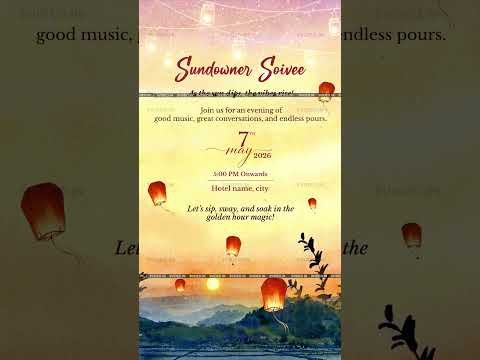
Existing 3VIDEO Sundowner Soiree sample thumbnail. Open the full sample to review its animation and text space; the displayed details are sample text.
The reference uses a warm sunset palette, glowing lanterns and a central text panel. Keep the decorative heading short; use the clearest text area for arrival, venue and dinner. Do not shrink all the details just to fit a longer opening line.
The product offers a personalized video based on the existing sample. Its description keeps the animation, graphics, music, colours and fonts unchanged while event details and text are customized. Confirm how many programme lines fit before ordering; a new layout is not assumed.
Before you send it
Check the host names, full date, arrival time with AM/PM, venue and address. Confirm the meal wording, RSVP contact and deadline. Remove unused brackets. Open the map link and read the finished video on a phone with the sound off.
A Shyam Baba Kirtan invitation should feel welcoming and make the programme easy to follow. Guests need the host’s name, the right date, the kirtan start time and a complete address. If there is a meal, a second day or a birthday celebration, give it its own clear line rather than leaving guests to guess.
These eight original examples cover family invitations, short WhatsApp messages, a two-day programme and a family birthday with kirtan. Choose the version that fits your gathering, replace the bracketed fields and remove anything you have not arranged. Hindi and English versions can be sent separately or used together if both remain easy to read.
Confirm the event name with the hosts. Use Shyam Baba Kirtan, Bhajan Sandhya or Jagran only when it is the name of the programme you are actually holding; do not change the label simply because it appears on a design. Use your family’s preferred greeting and spelling of Shyam Baba’s name.
Write the full date, including the year, and make morning or evening explicit. Mention aarti, prasad, bhandara or a meal only if confirmed. Use the host’s chosen label for each; do not describe prasad as a full meal unless that is what is being served. The schedules below are writing examples, not a prescribed order of worship.
Family invitations in Hindi and English
1 Hindi invitation from the family
A respectful invitation when the family is hosting. The sample includes prasad; delete that line if it does not belong in your programme.
जय श्री श्याम
श्याम बाबा के कीर्तन में आप सपरिवार सादर आमंत्रित हैं। आइए, हमारे परिवार के साथ भजनों का आनंद लें और इस अवसर की खुशी साझा करें।
दिनांक: [दिन, तारीख, महीना, वर्ष] कीर्तन आरंभ: [समय, सुबह या शाम] प्रसाद वितरण: [पुष्ट समय, सुबह/दोपहर/शाम] स्थान: [स्थल का नाम, पूरा पता, शहर]
आमंत्रित करते हैं: [मेज़बानों या परिवार का नाम] कृपया [तारीख] तक [संपर्क नाम और फोन नंबर] पर अपने आने की सूचना दें।
2 English invitation from the family
Jai Shri Shyam
Please join our family for Shyam Baba Kirtan. We would love to share the bhajans and this special gathering with you and your family.
Date: [Day, date, month, year] Kirtan begins: [Time, AM or PM] Prasad distribution: [Confirmed time, AM or PM] Venue: [Venue name, full address, city]
With warm wishes, [Hosts’ names or family name] Please let [Contact name and number] know by [Date] whether you will join us.
Short WhatsApp invitation messages
Use a short message beside the invitation video so guests can find the time and address without replaying it. Add a venue map link in the message itself. A map address written inside a video is not a clickable link.
3 Short Hindi message
जय श्री श्याम, [अतिथि का नाम] जी। [दिन, तारीख, महीना, वर्ष] को [स्थल और पूरा पता] पर हमारे परिवार की ओर से श्याम बाबा का कीर्तन है। कीर्तन [समय, सुबह या शाम] से आरंभ होगा। आपका साथ पाकर हमें खुशी होगी। कृपया [तारीख] तक यहीं अपने आने की सूचना दें।
स्थान का नक्शा: [लिंक] स्नेह सहित, [मेज़बान का नाम]
4 Short English message
Jai Shri Shyam, [Guest’s name]. Our family is hosting Shyam Baba Kirtan on [Day, date, month, year] at [Venue and full address]. The kirtan begins at [Time, AM or PM]. We would be happy to have you with us. Please reply here by [Date] if you can join.
Venue map: [Link] With warm wishes, [Host’s name]
These two messages invite the person addressed. If their family is included, add “आप सपरिवार आमंत्रित हैं” or “You and your family are invited.” If you need a meal count, ask how many of the invited family members will attend. Add the confirmed meal time rather than assuming that guests know the plan.
A two day programme with separate times
Give each day its own full date, programme and venue. Do not write a single date range above an unexplained list of times. The examples below show kirtan on the first day and a confirmed bhandara on the second. Use them only for that arrangement, or replace the second-day programme with your actual plan.
5 Two day invitation in Hindi
जय श्री श्याम
[परिवार का नाम] की ओर से आप सपरिवार श्याम बाबा के कीर्तन और अगले दिन के भंडारे में सादर आमंत्रित हैं।
पहला दिन: [दिन, तारीख, महीना, वर्ष] श्याम बाबा कीर्तन: [समय, सुबह या शाम] स्थान: [पहले दिन का स्थल और पूरा पता]
दूसरा दिन: [दिन, तारीख, महीना, वर्ष] भंडारा: [आरंभ समय, सुबह/दोपहर/शाम] से [समाप्ति समय, सुबह/दोपहर/शाम] तक स्थान: [दूसरे दिन का स्थल और पूरा पता]
आपकी उपस्थिति से हमें खुशी होगी। कृपया [तारीख] तक [संपर्क नाम और नंबर] को बताएँ कि आप किस दिन या किन दिनों आ सकेंगे।
6 Two day invitation in English
Jai Shri Shyam
[Family name] warmly invites you and your family to Shyam Baba Kirtan and the bhandara the following day.
Day one: [Day, date, month, year] Shyam Baba Kirtan: [Time, AM or PM] Venue: [Day-one venue and full address]
Day two: [Day, date, month, year] Bhandara: [Start time, AM or PM] to [End time, AM or PM] Venue: [Day-two venue and full address]
We would be happy to have you with us. Please tell [Contact name and number] by [Date] which day or days you can attend.
If guests can attend either or both days, accept both answers in the reply. Repeat the address even when the venue is unchanged. For different venues, label both map links. Keep any overnight programme’s date change explicit.
A family birthday with Shyam Baba Kirtan
This fictional illustration combines Neha’s 40th birthday with a kirtan. It is not a customer invitation. The name, age, date and times are examples to replace. Keep the devotional programme, birthday greetings and dinner separate, and include only the activities your hosts have planned.
7 Birthday and kirtan invitation in Hindi
जय श्री श्याम
नेहा के 40वें जन्मदिन की खुशी में हमारे परिवार ने श्याम बाबा के कीर्तन का आयोजन किया है। आइए, भजनों में हमारे साथ शामिल हों और नेहा को अपनी शुभकामनाएँ दें।
दिनांक: 14 मार्च 2027 श्याम बाबा कीर्तन: शाम 6 बजे जन्मदिन की शुभकामनाएँ: शाम 7:30 बजे रात्रिभोज: रात 8 बजे स्थान: [स्थल का नाम और पूरा पता]
स्नेह सहित, [मेज़बानों के नाम] कृपया [तारीख] तक [संपर्क नाम और फोन नंबर] पर अपने आने की सूचना दें।
8 Birthday and kirtan invitation in English
Jai Shri Shyam
Our family is hosting Shyam Baba Kirtan to celebrate Neha’s 40th birthday. Please join us for the bhajans and share your birthday wishes with Neha.
Date: 14 March 2027 Shyam Baba Kirtan: 6 PM Birthday greetings: 7:30 PM Dinner: 8 PM Venue: [Venue name and full address]
With love, [Hosts’ names] Please reply to [Contact name and number] by [Date].
For a bilingual invitation, keep the names, date and every programme time identical in both languages. If fitting both versions makes the text too small, use separate matching versions or ask whether the chosen video has space for another screen. Do not assume additional scenes are included.
A real Shyam Baba invitation design reference
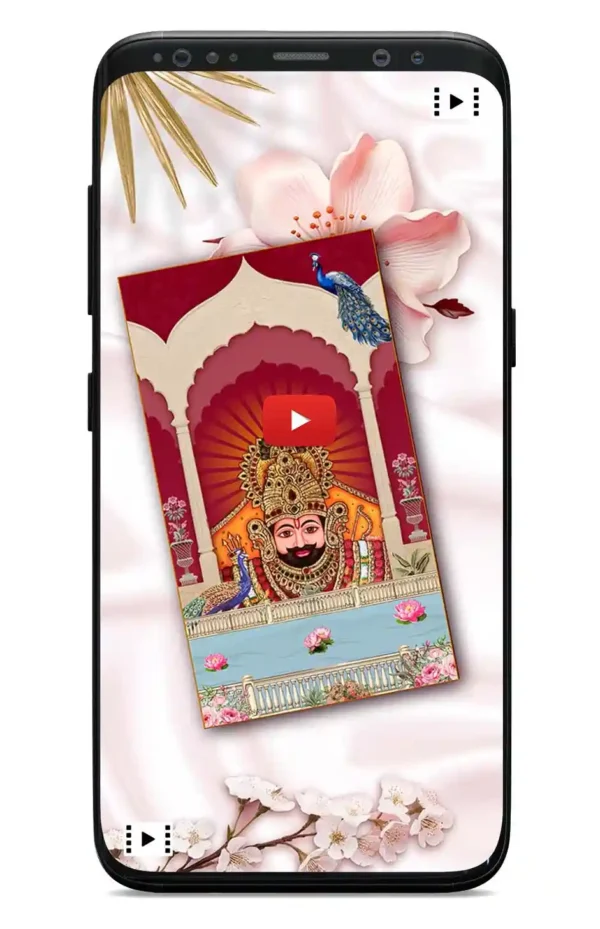
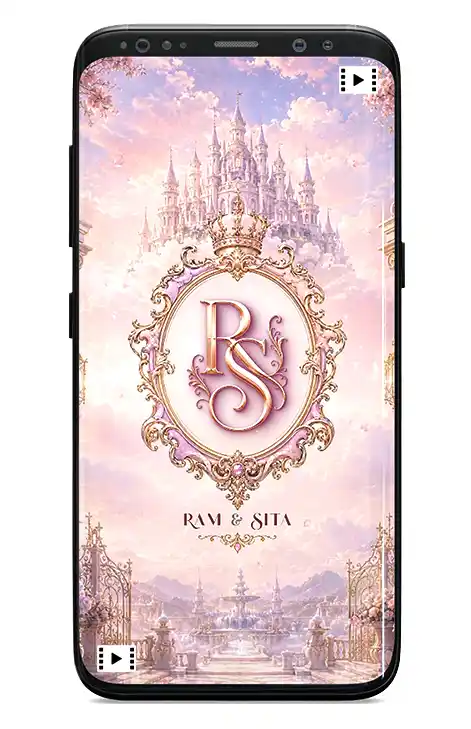
The 3VIDEO Shyam Baba Kirtan Invitation Card preview uses a floral setting, an ornamental arch and Shyam Baba imagery. Use it to judge the visual style, then check that your wording will fit the sample’s available scenes.
Actual 3VIDEO product thumbnail, not the fictional birthday example above. This still image does not show the complete video or every text screen.
The current product form has separate first-day and optional second-day dates, with programme-and-time fields. It asks for concise details that fit the sample. The ordering steps describe a personalized video delivered through WhatsApp or email. If you also need a printable card or PDF, confirm that separately before ordering.
Before you share the invitation
Read the exported invitation on a phone, not only in the design preview. Check the Hindi matras, host names, full dates, morning or evening labels, venue spelling and contact number. For a two-day event, check that each time sits under the correct date. Remove unused meal lines and every placeholder.
Play the whole video and make sure every details screen stays visible long enough to read. Then compare the file received by a test guest with the original. If the received copy looks soft, use our guide to fixing a blurry invitation video on WhatsApp.
Keep one final version for sending. If you need replies for seating or meals, give a realistic reply date and check messages from all hosts before following up. Our RSVP reminder examples can help you ask politely without making guests repeat information they have already sent.
A Christian wedding invitation can be warm and faithful without becoming a long announcement. Guests mainly need to know whose wedding they are attending, what the ceremony is called, and whether the invitation includes the reception.
These eight original examples cover invitations from parents and couples, a wedding with Mass, a ceremony without Mass, reception-only wording, WhatsApp and a short video. Choose the version that matches your plans, replace every bracketed field and keep only the events each recipient is invited to.
Confirm the couple’s preferred names, the actual hosts, full date and year, ceremony start time, church name and address, reception details and reply contact. If guests need to be seated earlier, label that separately from the service start time.
Use the ceremony name agreed with your church or celebrant. “Nuptial Mass” belongs only on an invitation to a wedding that actually includes Mass; a Catholic wedding can also take place without it. Other Christian traditions use their own wording.
A Bible verse is optional. If you include one, check the exact words and reference in the translation you have chosen. Do not turn a paraphrase into a quotation or let a long verse crowd out the event details.
Invitations from parents and couples
1 From both families
Use this when both families are issuing the invitation. Add titles only where the people named prefer them.
With joy and gratitude to God, [Names of the first family’s hosts] and [Names of the second family’s hosts] invite you to the wedding of [Name] and [Name]. Please join us as they begin their married life, surrounded by the people they love.
[Day, date, month, year] Wedding ceremony: [Time, AM or PM] [Church name, full address, city] Reception: [Time, venue and full address] Please reply by [Date] to [Contact name and number].
2 From the couple
This version speaks directly to your guests without presenting your parents as hosts.
We would love you to be with us as we exchange our marriage vows before God and celebrate with family and friends. With love, [Name] and [Name]
Wedding: [Day, date, month, year] at [Time, AM or PM] [Church name, full address, city] Please join us afterwards for [Lunch or dinner] at [Time], [Reception venue and address]. Let [Contact name and number] know by [Date] whether you can join us.
3 From one parent
A single host line can feel complete on its own. Include other family members only as the host and couple wish.
It would mean so much to have you with us as my [Daughter or son], [Name], marries [Partner’s name]. Please join our family for their wedding and the celebration afterwards. With warm wishes, [Parent’s name]
[Day, date, month, year] Wedding: [Time, AM or PM], [Church name and full address] Reception: [Time, AM or PM], [Venue and full address] Please reply to [Contact name and number] by [Date].
Wording for the confirmed ceremony
4 For a wedding within Mass
Use this only after the parish confirms that the wedding will include Mass. The host line can name the couple, one family or both families.
[Hosts’ names] request the honour of your presence at the Nuptial Mass celebrating the marriage of [Name] and [Name]. Your presence and prayers would mean a great deal to us.
[Day, date, month, year] Please be seated by [Time, AM or PM] Mass begins at [Time, AM or PM] [Church or parish name, full address, city] Reception: [Time, venue and full address] RSVP by [Date] to [Contact name and number].
5 For a wedding ceremony without Mass
You do not need to announce “without Mass” on the card. Name the wedding ceremony as your church recommends.
Together with our families, we invite you to our wedding ceremony as we make our marriage vows and begin this new chapter together. [Name] and [Name]
[Day, date, month, year] Ceremony begins at [Time, AM or PM] [Church name, full address, city] Reception to follow at [Time], [Venue and full address]. Please reply by [Date] to [Contact name and number].
A separate reception invitation
6 When the ceremony is a smaller gathering
Send this to guests invited to the reception rather than the church service. Leave the private ceremony’s time and address out of this version.
Following our wedding ceremony with close family, we would be delighted to celebrate our marriage with you at our reception. Please join us for [Lunch or dinner], conversation and good company. With love, [Name] and [Name]
Reception: [Day, date, month, year] at [Time, AM or PM] [Venue name, full address, city] Please let [Contact name and number] know by [Date] whether you can attend.
If the reception is on a later date, make that date prominent rather than relying on the wedding date elsewhere in the invitation.
Short WhatsApp and video wording
7 A personal WhatsApp message
Hi [Guest’s name], we’re getting married and would love you to join us! Our wedding is on [Day, date, month, year] at [Time, AM or PM], [Church and full address]. The reception is at [Time], [Venue and full address]. We’ve attached our invitation. Church map: [Link]. Reception map: [Link]. Please reply here by [Date] to let us know if you can attend. With love, [Names].
For a reception-only guest, use example 6 instead. For different sending situations, see our WhatsApp wedding invitation guide.
Keep the ceremony and reception on separate screens so guests can read each destination. This is sample wording, not a promise about the number of scenes included in a design.
Opening With grateful hearts, we invite you to our wedding.
Couple [Name] and [Name] Together with [Hosts or families, if wanted]
Ceremony [Confirmed ceremony name] [Full date] at [Time, AM or PM] [Church name and full address]
Reception [Full date] at [Time, AM or PM] [Venue name and full address]
Closing We look forward to sharing this day with you. Please reply by [Date] to [Contact name and number].
Keep church and reception details distinct
“Reception follows” is enough only when guests can tell where and when to go. Otherwise write a second labelled block with its own date, time and address. If there is a gap, say when reception guests should arrive. Add transport or parking information only when confirmed.
Use a separate map link for each venue. If you are sharing a PDF, the map buttons need working hyperlinks, not just pictures of buttons.
The Flora Christian Wedding Invitation is one visual reference in our Christian collection. Its floral styling and cross motif can help you decide whether this look suits your celebration. Confirm the available scenes and wording space for the selected design before ordering.
Actual 3VIDEO product thumbnail, not a newly created example invitation. Open the product page to view the sample; this still image does not show every scene.
Read the final card or video as a guest: is the ceremony name right, is every address complete, and is it clear which events you can attend? Check both venues, host names, AM or PM times and the reply contact. Remove every placeholder and test the received invitation on a phone.
Ask the couple to approve any faith wording and the church to confirm the ceremony description when needed. For the rest of the final review, use our wedding invitation proofreading checklist.
Tell guests which date to keep free without squeezing the full wedding invitation into one message. Choose a sample below, replace the names and confirmed details, and keep the line that says the full invitation will follow.
All names, dates and places in the message samples are fictional examples. Replace them before sharing.
We’re getting married! Please keep 12 December 2027 free for the wedding of Aarav and Meera in Jaipur. We would love to celebrate with you. Our wedding invitation will follow.
2 From the parents
With happy hearts, the Sharma and Kapoor families announce the wedding of Meera and Aarav on 12 December 2027 in Jaipur. Please save the date and join us in wishing them well. A formal invitation with the ceremony details will follow.
3 Short WhatsApp message
Aarav + Meera 12 December 2027 | Jaipur A special day, made better with you. Please save our wedding date! Invitation to follow.
Hindi save the date messages
In Hindi, a direct request such as “कृपया यह तारीख हमारे लिए खाली रखें” feels clearer than translating “save” word for word. Choose a tone that sounds natural for your family.
4 सरल और आत्मीय संदेश
हम शादी कर रहे हैं! 12 दिसंबर 2027 को जयपुर में आरव और मीरा के विवाह का शुभ अवसर है। कृपया यह तारीख हमारे लिए खाली रखें। आपकी मौजूदगी हमारी खुशी बढ़ाएगी। विवाह का निमंत्रण और कार्यक्रम का विवरण जल्द भेजेंगे।
5 माता पिता की ओर से
शर्मा और कपूर परिवार को यह बताते हुए खुशी हो रही है कि मीरा और आरव का विवाह 12 दिसंबर 2027 को जयपुर में होगा। कृपया इस शुभ अवसर के लिए समय निकालें और अपना आशीर्वाद दें। विस्तृत विवाह निमंत्रण जल्द भेजा जाएगा।
6 छोटा WhatsApp संदेश
आरव और मीरा 12 दिसंबर 2027 | जयपुर हमारी शादी की तारीख याद रखिए! इस खुशी में आपका साथ चाहिए। विवाह का निमंत्रण जल्द भेजेंगे।
Want a more formal Hindi closing? Use “औपचारिक निमंत्रण शीघ्र भेजा जाएगा।” For a personal message, “बाकी जानकारी जल्द भेजेंगे” is simpler.
Bilingual and video wording
7 One bilingual announcement
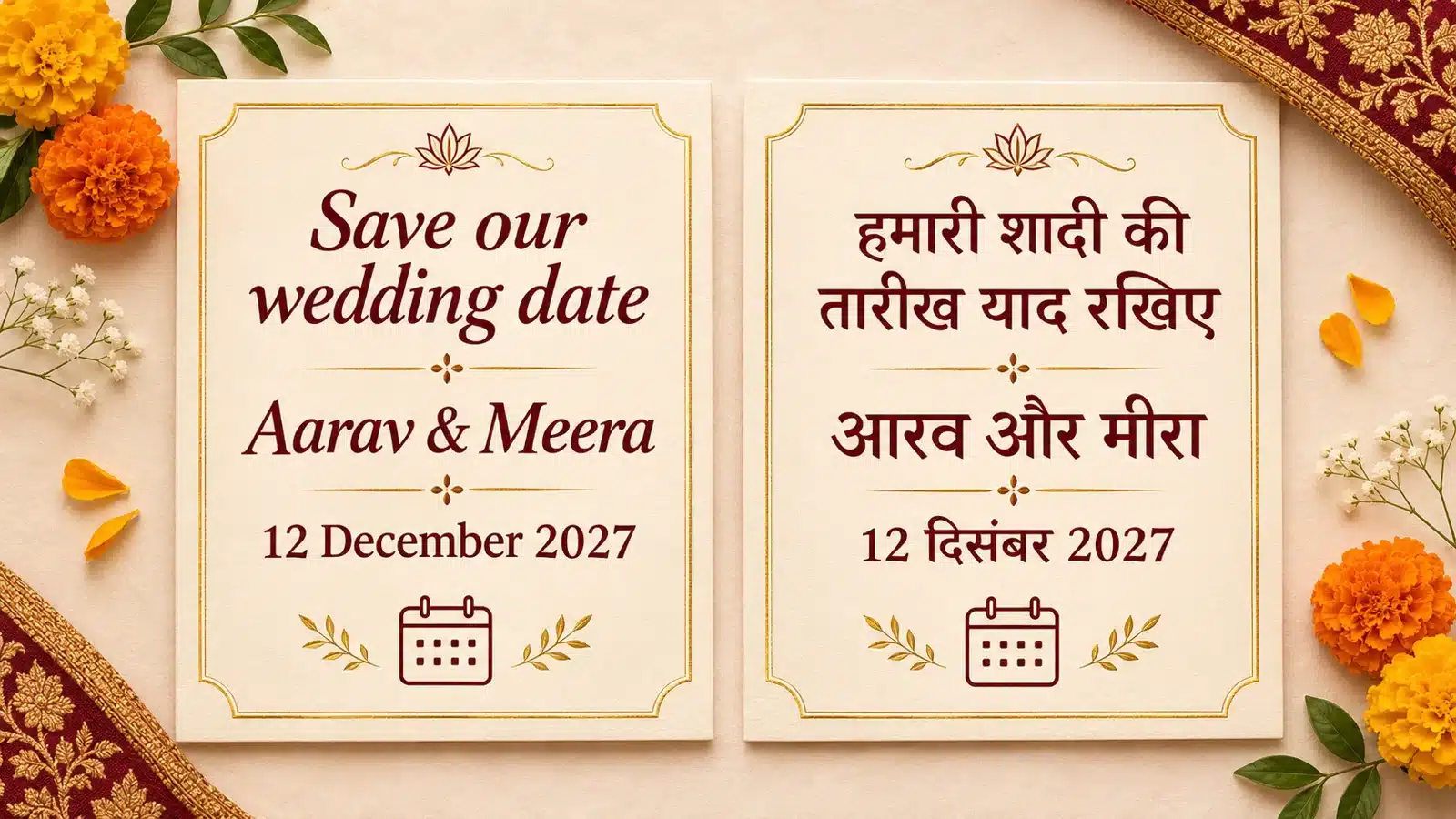
Aarav & Meera | आरव और मीरा Save our wedding date | हमारी शादी की तारीख याद रखिए 12 December 2027 | 12 दिसंबर 2027 Jaipur | जयपुर Invitation to follow | विवाह का निमंत्रण जल्द भेजेंगे
Keep the names and date equally readable in both languages. If the design looks crowded, use two matching cards instead of shrinking the Hindi text.
8 A short save the date video
Slide 1: A new chapter begins Slide 2: Aarav & Meera Slide 3: Save the date • 12 December 2027 • Jaipur Slide 4: We can’t wait to celebrate with you. Invitation to follow.
Hindi alternative for the same four slides:
स्लाइड 1: एक नए सफर की शुरुआत स्लाइड 2: आरव और मीरा स्लाइड 3: हमारी शादी • 12 दिसंबर 2027 • जयपुर स्लाइड 4: इस खुशी में आपका साथ चाहिए। विवाह का निमंत्रण जल्द भेजेंगे।
Let each slide finish its sentence before it moves away. Give the names and date more screen time than the decorative opening. Watch the final video on a phone and check that both languages can be read comfortably.
Make any sample your own
Choose who is speaking: the couple or the families. Replace the names, full date and confirmed city. Add a brief personal line if you want one. Leave the detailed ceremony schedule, dress code and formal RSVP instructions for the invitation.
Before sending, confirm the guest list, both names, full date and city. Spell out the month so “12/11” cannot be misunderstood. Keep the same details in both languages, remove every sample name, and check Hindi matras in the exported image or video. If the city is not confirmed, omit it rather than guessing.
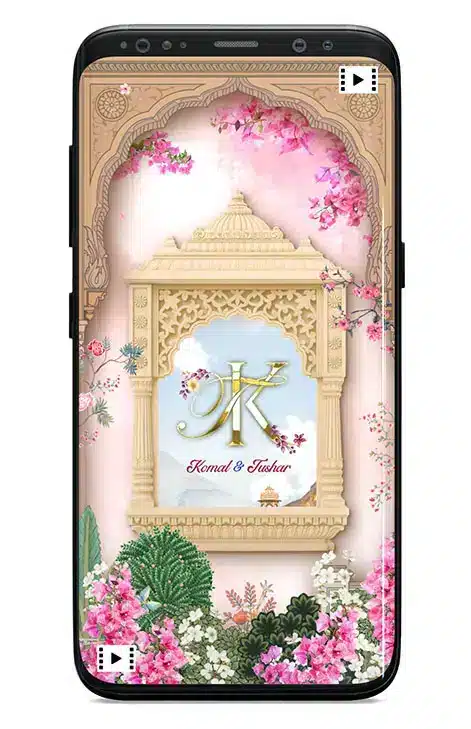
Actual 3VIDEO product reference: a floral architectural save the date video cover. The names shown belong to the existing product sample, not the fictional wording above. Use it as a visual style reference, not a final text layout.
Choose a design after the wording is settled. Ask for the couple’s names and wedding date to be the easiest details to read, with “Invitation to follow” clearly visible at the end.
A clear reference photo helps a designer see your features. It does not need wedding clothes or a studio background. Before choosing photos, check whether your invitation actually includes custom faces: some designs use fixed sample characters.
Do not assume that “caricature” means a fully custom drawing. Check the individual product’s options before sending photos or paying for changes.
Custom-face option: confirm which faces can be changed and what reference photos are needed.
Fixed-character option: the sample characters may stay unchanged, even when names and event details are personalized.
Face changes are not automatically outfit, pose, body, hairstyle or animation changes. Ask about these separately.
For example, The Royal Love Kingdom invitation currently offers “With your face” and “Without your face” options and requests clear front-facing photos for face personalization. Its sample style, graphics and animation remain the reference. This is a product-specific example, not a promise for every design.
Start with one recent, clear photo of each person. Add an alternative only if it clarifies a feature or the designer requests it.
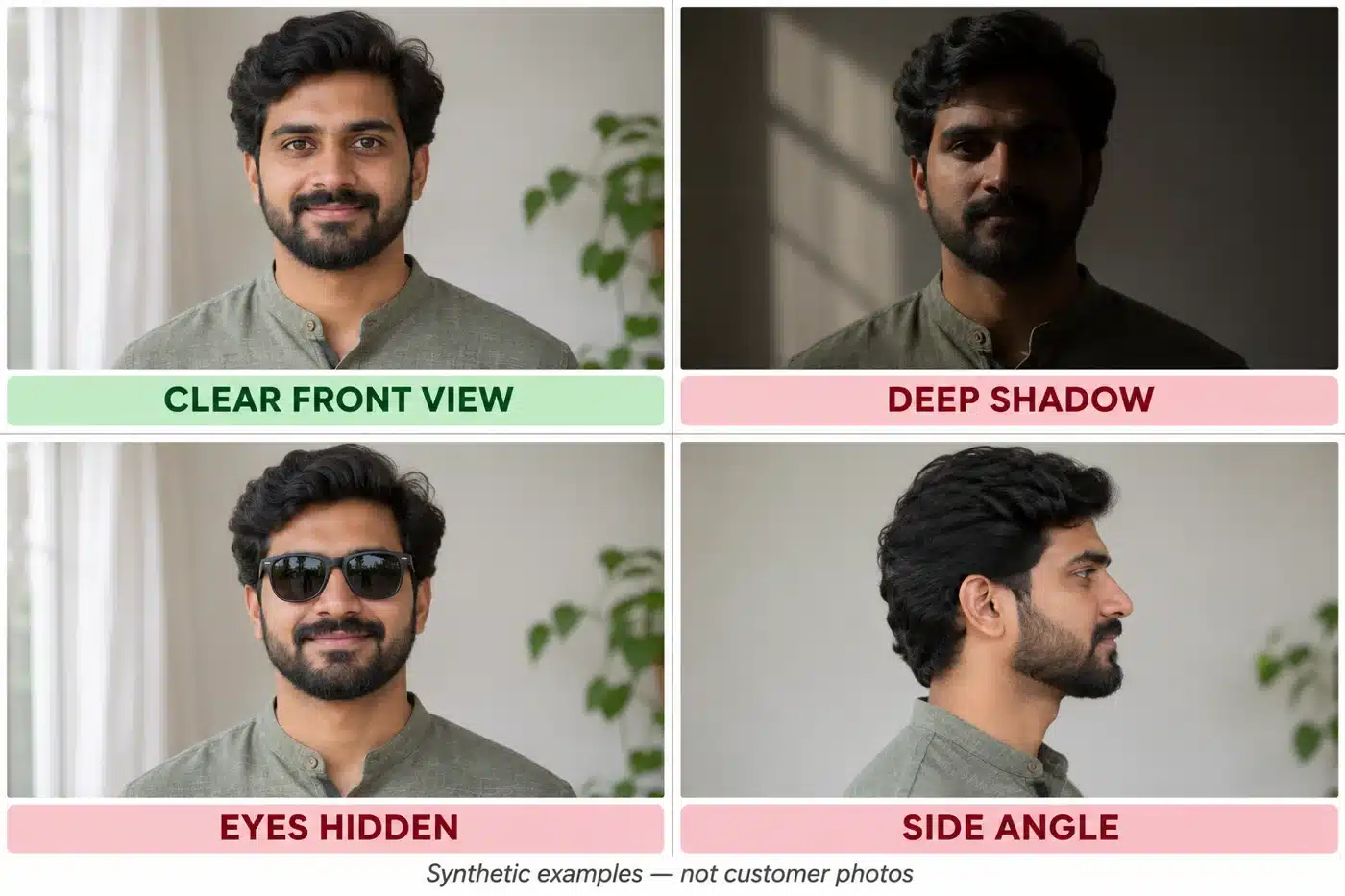
Face the camera at roughly eye level, with both eyes visible and the head fully inside the frame.
Choose even light. Avoid deep shadows across the eyes or bright light that washes out facial detail.
Use a sharp image without beauty filters, heavy retouching or motion blur.
Keep the face easy to see. Avoid sunglasses, hair across the eyes and hands hiding the cheeks or chin.
Send the original file when possible, not a screenshot of a social post or a repeatedly forwarded copy.
Quick comparison: which photo would you send?
Use these practical examples to compare your own pictures. They describe photo choices, not guaranteed caricature results.
Synthetic portrait examples, not customer photos. The clear front view is the strongest primary reference; the others obscure useful facial information.
Better reference
Replace or clarify
Solo, eye-level portrait with the full head visible
A group shot where the face is tiny
Even window light and visible eyes
Sunglasses or a shadow hiding the eyes
Recent photo with the beard or hairstyle you want
Old clean-shaven photo when you want a current beard
Natural facial features and sharp detail
Beauty filter, blurred selfie or social-media screenshot
Straight-on image with a relaxed expression
Strong side angle or camera held very close to the face
A real product reference
Public 3VIDEO product preview: The Royal Love Kingdom. This shows the invitation’s decorative style, not a before-and-after likeness example. Check the full product sample and selected customization option.
Example: a wedding portrait may look beautiful but hide one face behind flowers. A simple, sharp daylight portrait can be a more useful face reference. Keep the wedding portrait as an optional outfit reference only if outfit changes are supported.
3. Retake a photo in a few minutes
Stand near a window with soft light on your face. Use a plain background.
Hold the phone at eye level. Step back rather than taking an extreme close-up.
Face the camera, keep hair away from the eyes and use a relaxed expression.
Check the eyes and facial detail before sending. Retake if the image is blurred or shadowed.
These tips follow basic portrait principles: sharp eyes, eye-level framing, controlled background and flattering light. See Nikon’s portrait photography guide for visual photography guidance. A professional camera is not necessary.
4. Send photos with a short, clear brief
Confirm the upload method and accepted file type on your selected product. Do not assume every template accepts the same files or has the same size limit. Share only portraits you have permission to use.
Copy and adapt this message:
Hello! We selected [design name] with the custom-face option.
Please use the hairstyle and beard shown in these recent photos. [Glasses preference, if relevant.] We understand the sample outfits and poses stay unchanged unless agreed otherwise.
Please confirm whether these photos are suitable before you start. Let us know if you need a clearer image or a different angle.
Useful detail: “Please keep the glasses shown in groom-front.jpg.” Less useful: “Make everything exactly like us.” Specific references are easier to review, while the finished artwork will still be stylized.
5. Review the proof before approval
Check that each reference photo was matched to the correct person.
Compare visible features such as glasses, beard and hairstyle with the agreed brief.
Check face placement, awkward cropping and readability in the actual invitation scenes.
Send one consolidated correction list with scene times or screenshots where needed.
Check names, dates, venue and event details separately before final approval.
A caricature is stylized artwork, not a guaranteed exact likeness. The result depends on the chosen design, customization scope and reference photos.
Before sending: correct design option, clear face photos, original files, specific preferences and permission to use the portraits. That is a stronger starting point than a large folder of mixed images.
A good office invitation answers three questions quickly: who is invited, what is happening and how to reply. Choose the message below that matches your guest list, then replace every bracketed detail before sending it.
An annual day may include presentations, performances and awards. A year-end party may simply be a chance for colleagues to spend time together. Name the event accurately and promise only the activities you have confirmed.
Confirm the company and event name, full date, start and finish times, venue and address, eligible guests, RSVP deadline and one reply method. Add a time zone for remote guests. If arrival and the programme start differ, label both.
Avoid an unexplained “with family.” Specify who may attend and any guest limit. Add dress code, transport or parking details only when they are relevant and confirmed. Keep a long programme in a separate attachment or link.
1 Annual day email for employees
Subject: [Company] Annual Day on [Date] | RSVP by [Deadline]
Dear team, Please join us for [Company] Annual Day as we recognise the work of our colleagues and spend an evening together.
Date: [Full date] Arrival: [Time] | Programme: [Start–finish time] Venue: [Venue name, full address] Programme highlights: [Confirmed activities] This event is for [Company] employees.
Please confirm your attendance by [Deadline] using [RSVP link or contact]. We look forward to seeing you. [Name / Organising team]
2 Year end party for employees
Subject: Join our year-end celebration on [Date]
Hi team, Let’s make time to celebrate the year together. You’re invited to the [Company] year-end party for [confirmed food or activity].
When: [Full date], [Start–finish time] Where: [Venue and address] Guests: [Company] employees only Dress: [Confirmed dress guidance, or remove this line]
Please reply through [RSVP method] by [Deadline]. See you there, [Organising team]
Keep the subject easy to recognise. “Annual Day on [Date]” tells employees more than “Something exciting is coming.” Mailchimp’s invitation guidance also puts essential details and a clear next action at the centre of the email.
Dear colleagues, Please join us for [Company]’s annual celebration with your partner and children. We’re planning [confirmed activities] and would love to share the evening with you.
Date and time: [Full date], [Start–finish time] Venue: [Venue and address] Please RSVP by [Deadline] through [Method], including the number of adults and children attending.
For dietary requirements or accessibility requests, please contact [Organiser] privately at [Contact]. [Organising team]
Use “partner and children” only if that is the approved guest policy. For a one-guest event, replace it with “You are welcome to bring one guest.” Ask only for the attendee information needed to organise the event.
4 Awards dinner invitation
Subject: [Company] Awards Dinner | [Date]
Dear [Name / Team], You are invited to the [Company] Awards Dinner, recognising the contributions of our colleagues. Join us for the awards presentation followed by dinner.
Kindly confirm attendance by [Deadline] at [RSVP method]. [Host / Organising team]
Do not imply that every recipient is receiving an award. If the dinner is only for nominees or invited guests, say so. Publish winner names only when the organisers have approved their release.
5 Short WhatsApp covering message
Hi [Name], you’re invited to [Company]’s [Event] on [Full date], [Start–finish time], at [Venue and address]. [Guest policy]. The invitation is attached. Please RSVP by [Deadline] through [Method]. We hope you can join us!
Include the key details as text even when you attach a card or video. A guest should not have to replay the video to find the address. If the video becomes difficult to read after sharing, use our practical troubleshooting guide.
Hi [Name], a quick reminder to confirm whether you can attend [Event] at [Venue] on [Full date], [Time]. Please respond by [Deadline] using [Method] so we can finalise arrangements. If you have already replied, thank you; no further action is needed.
Use one response method consistently. A reply address or RSVP line on a digital invitation tells people where to respond; it does not automatically track attendance. If you use a form, test it as an invited employee before sharing.
Make requests easy to raise
Give guests a private contact for accessibility requests. W3C’s event checklist recommends asking participants about their requirements. Avoid asking people to share personal needs in a group chat.
Keep the event title, date and venue easy to read on a phone. Put the reply instruction where guests can find it without searching. For a video, ask the designer to confirm that the final details screen remains visible long enough to read.
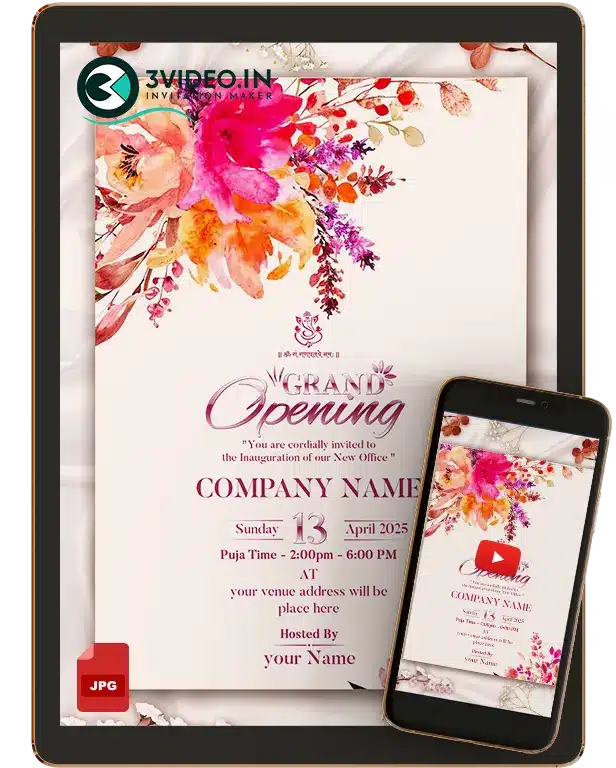
Actual 3VIDEO all-purpose sample: the current preview uses floral office-opening wording. It is a format reference, not a finished annual-day design. Confirm whether the wording, branding and layout can be adapted before ordering.
Format reference only; confirm adaptation for your event.
Before sending: check the audience and guest allowance; match date, weekday and times; open the venue and RSVP links; remove unused placeholders; read the invitation on a phone; and confirm the organiser is ready to receive replies.
Once the wording is approved, compare the current corporate invitation designs and confirm the available format, branding changes, price and delivery for your selected sample.