
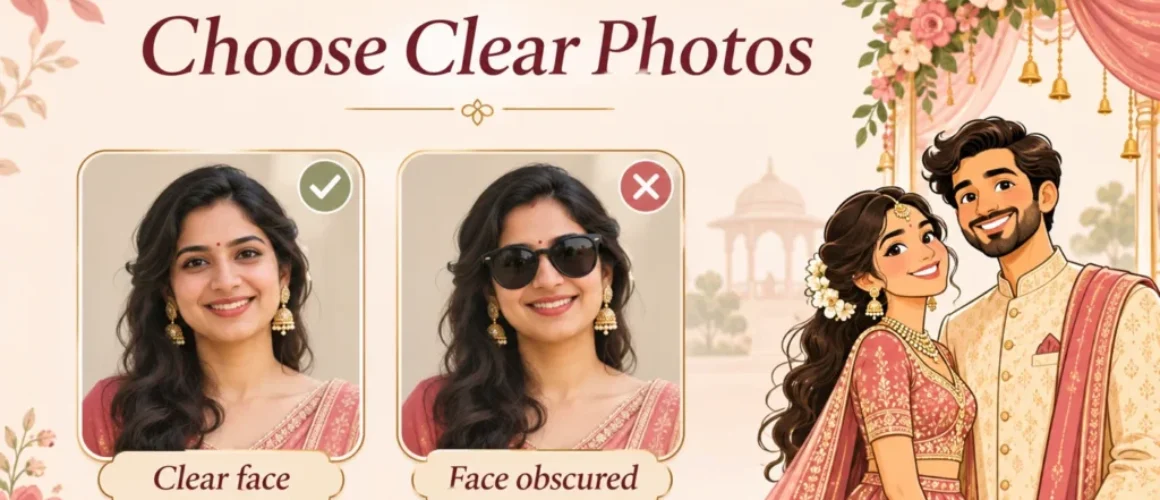
How to Choose Photos for a Caricature Wedding Invitation
A clear reference photo helps a designer see your features. It does not need wedding clothes or a studio background. Before choosing photos, check whether your invitation actually includes custom faces: some designs use fixed sample characters.
Jump to: Customization • Photo checklist • Retake tips • Ready-made brief • Proof review
1. Check what the design can change
Do not assume that “caricature” means a fully custom drawing. Check the individual product’s options before sending photos or paying for changes.
- Custom-face option: confirm which faces can be changed and what reference photos are needed.
- Fixed-character option: the sample characters may stay unchanged, even when names and event details are personalized.
- Face changes are not automatically outfit, pose, body, hairstyle or animation changes. Ask about these separately.
For example, The Royal Love Kingdom invitation currently offers “With your face” and “Without your face” options and requests clear front-facing photos for face personalization. Its sample style, graphics and animation remain the reference. This is a product-specific example, not a promise for every design.
Compare customization instructions in the 3VIDEO caricature wedding invitation collection before choosing a template.
2. Choose photos that show your features
Start with one recent, clear photo of each person. Add an alternative only if it clarifies a feature or the designer requests it.
- Face the camera at roughly eye level, with both eyes visible and the head fully inside the frame.
- Choose even light. Avoid deep shadows across the eyes or bright light that washes out facial detail.
- Use a sharp image without beauty filters, heavy retouching or motion blur.
- Keep the face easy to see. Avoid sunglasses, hair across the eyes and hands hiding the cheeks or chin.
- Send the original file when possible, not a screenshot of a social post or a repeatedly forwarded copy.
Quick comparison: which photo would you send?
Use these practical examples to compare your own pictures. They describe photo choices, not guaranteed caricature results.
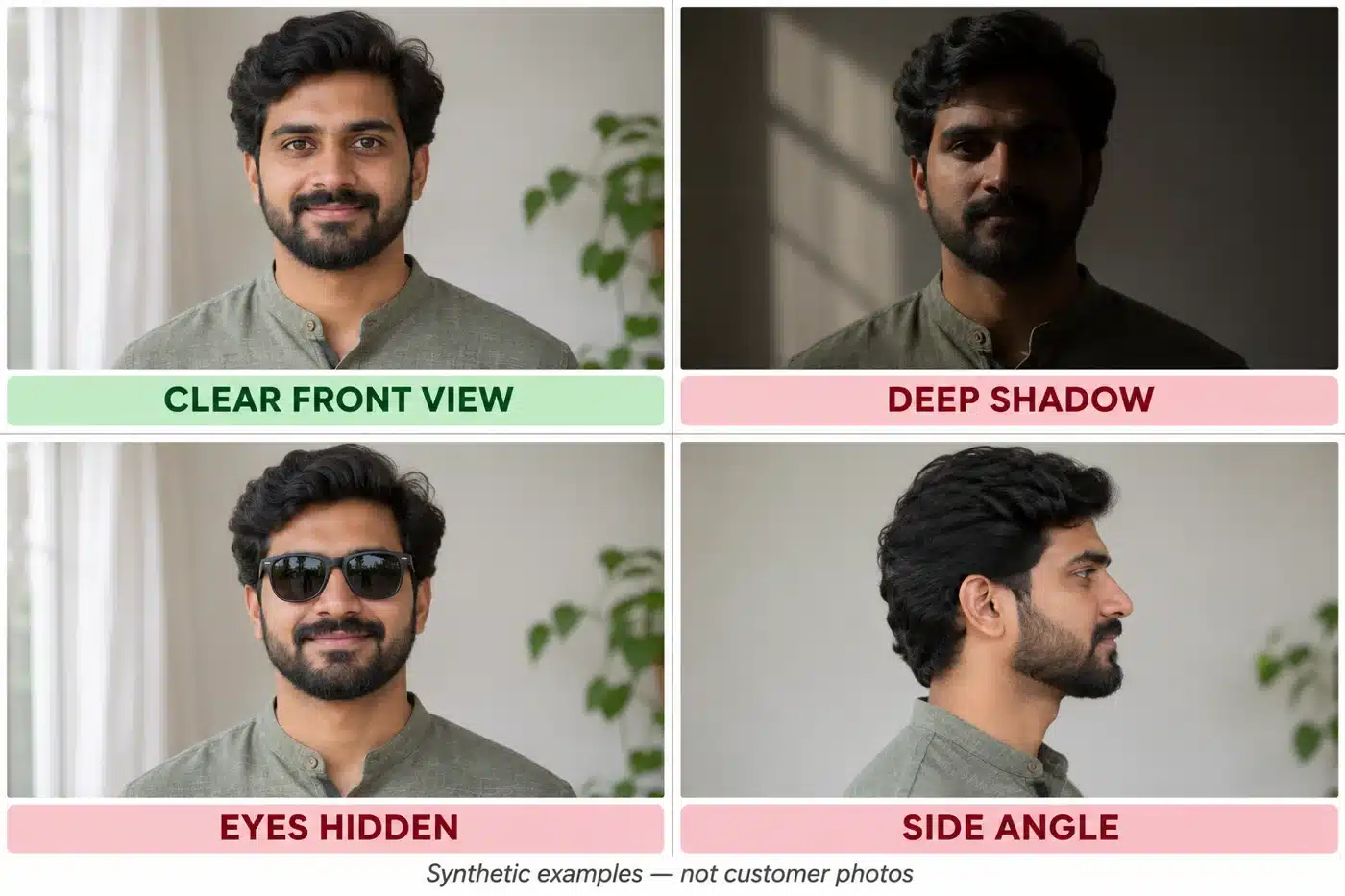
Synthetic portrait examples, not customer photos. The clear front view is the strongest primary reference; the others obscure useful facial information.
| Better reference | Replace or clarify |
| Solo, eye-level portrait with the full head visible | A group shot where the face is tiny |
| Even window light and visible eyes | Sunglasses or a shadow hiding the eyes |
| Recent photo with the beard or hairstyle you want | Old clean-shaven photo when you want a current beard |
| Natural facial features and sharp detail | Beauty filter, blurred selfie or social-media screenshot |
| Straight-on image with a relaxed expression | Strong side angle or camera held very close to the face |
A real product reference

Public 3VIDEO product preview: The Royal Love Kingdom. This shows the invitation’s decorative style, not a before-and-after likeness example. Check the full product sample and selected customization option.
Example: a wedding portrait may look beautiful but hide one face behind flowers. A simple, sharp daylight portrait can be a more useful face reference. Keep the wedding portrait as an optional outfit reference only if outfit changes are supported.
3. Retake a photo in a few minutes
- Stand near a window with soft light on your face. Use a plain background.
- Hold the phone at eye level. Step back rather than taking an extreme close-up.
- Face the camera, keep hair away from the eyes and use a relaxed expression.
- Check the eyes and facial detail before sending. Retake if the image is blurred or shadowed.
These tips follow basic portrait principles: sharp eyes, eye-level framing, controlled background and flattering light. See Nikon’s portrait photography guide for visual photography guidance. A professional camera is not necessary.
4. Send photos with a short, clear brief
Confirm the upload method and accepted file type on your selected product. Do not assume every template accepts the same files or has the same size limit. Share only portraits you have permission to use.
Copy and adapt this message:
Hello! We selected [design name] with the custom-face option.
Bride reference: bride-front.jpg
Groom reference: groom-front.jpg
Please use the hairstyle and beard shown in these recent photos. [Glasses preference, if relevant.] We understand the sample outfits and poses stay unchanged unless agreed otherwise.
Please confirm whether these photos are suitable before you start. Let us know if you need a clearer image or a different angle.
Useful detail: “Please keep the glasses shown in groom-front.jpg.” Less useful: “Make everything exactly like us.” Specific references are easier to review, while the finished artwork will still be stylized.
5. Review the proof before approval
- Check that each reference photo was matched to the correct person.
- Compare visible features such as glasses, beard and hairstyle with the agreed brief.
- Check face placement, awkward cropping and readability in the actual invitation scenes.
- Send one consolidated correction list with scene times or screenshots where needed.
- Check names, dates, venue and event details separately before final approval.
Use the wedding invitation proofreading checklist for the complete final check.
A caricature is stylized artwork, not a guaranteed exact likeness. The result depends on the chosen design, customization scope and reference photos.
Before sending: correct design option, clear face photos, original files, specific preferences and permission to use the portraits. That is a stronger starting point than a large folder of mixed images.