
Video Invitation vs PDF vs Image Card: Which to Choose?
Choose a video when you want a personal announcement with music and movement, a PDF when guests need a detailed schedule, or an image card for one invitation they can read at a glance. The best choice depends on what your guests need to see and do.
Here is the same wedding in all three formats, so you can compare the difference rather than three unrelated designs.
One celebration in three formats
Example: Aarav and Meera’s wedding, 14 February 2027 at 6 PM, Gulmohar Garden, Jaipur. Names, venue and layouts below are fictional illustrations, not 3VIDEO product previews. The video pictures are still examples, not playable videos.
Video invitation
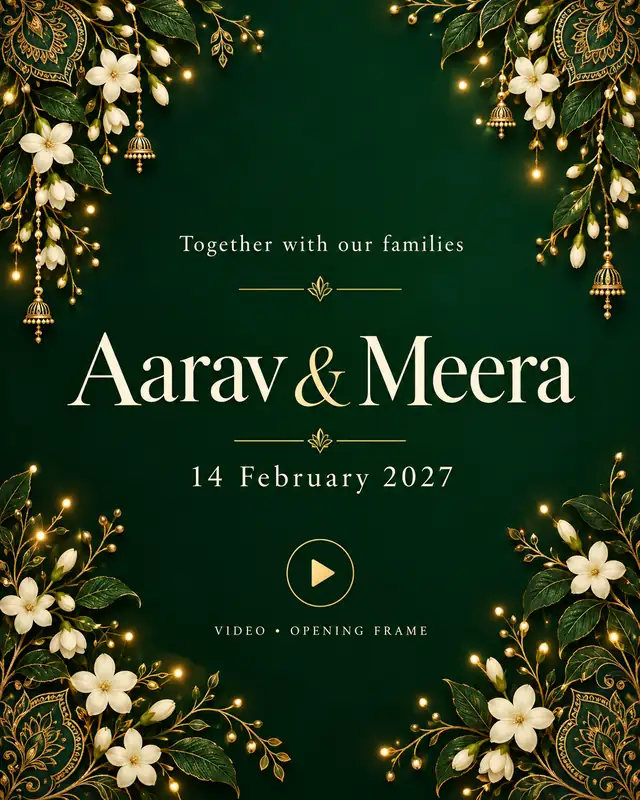
View a real floral wedding video example. This is a separate design, not the illustration above.
Best for: a warm announcement with music, animation or photos.
Watch for: guests must watch or replay to find details. Repeat the essentials in chat text.
PDF invitation
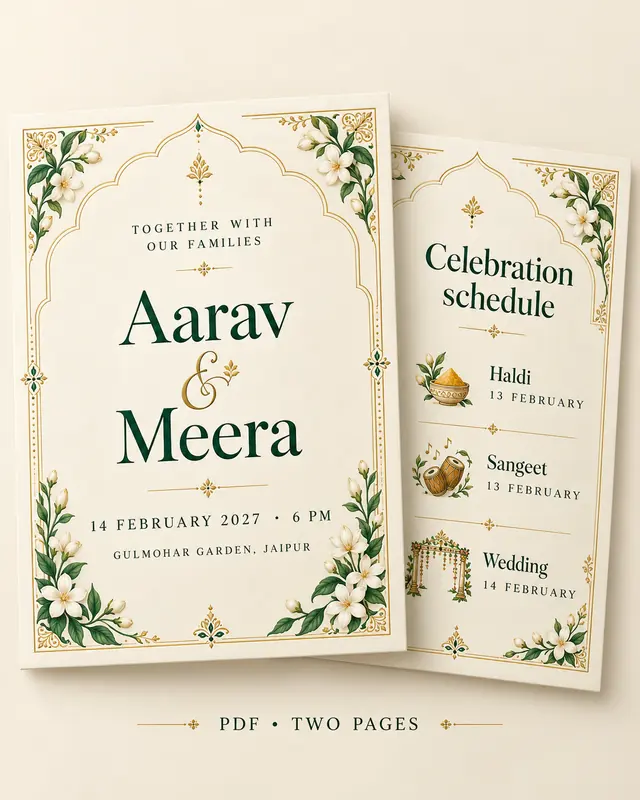
View a real wedding PDF example. This is a separate design, not the illustration above.
Best for: several events, venues or family details in one document.
Watch for: small text and untested links. Use extra pages rather than a crowded cover.
Image card
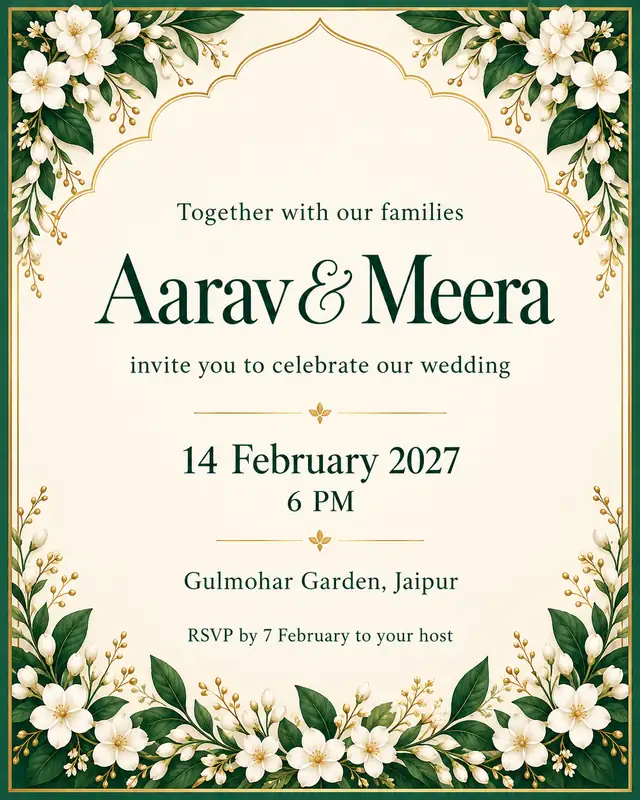
View a real image-card design. Choose the Image Card option. This is a separate design, not the illustration above.
Best for: one event and a short invitation guests can scan quickly.
Watch for: too much wording. Put the location link in the chat message.
3VIDEO offers all three formats. Check the selected design’s options; a video order does not automatically include a PDF or image card.
Video example from opening to invitation
Imagine Aarav and Meera’s invitation opening with a floral design, revealing their names, then showing the ceremony details and venue. Each scene has one clear job. That is where video works well: the announcement has a sequence instead of one page of text.
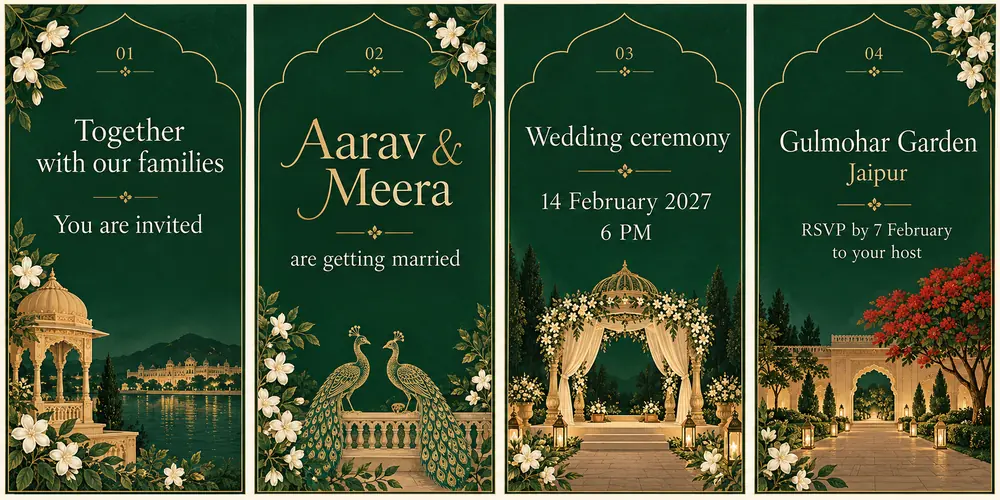
View a real floral wedding video example. This is a separate design, not the illustration above.
A ready-to-use four-scene brief
- Welcome: “Together with our families, we invite you to celebrate.”
- Names: “Aarav and Meera are getting married.”
- Ceremony: “14 February 2027 · 6 PM.”
- Venue and reply: “Gulmohar Garden, Jaipur. Please RSVP to your host by 7 February.”
What to keep out: a long travel note, every family name and three functions squeezed into one fast-moving frame. Give each event enough reading time or put the full schedule in a separate PDF.
Send with the video: “Please join Aarav and Meera’s wedding on 14 February at 6 PM, Gulmohar Garden, Jaipur. Venue location: [insert the correct Maps link]. Please reply by 7 February to let us know if you can come.”
Play the preview with sound off. The invitation should still make sense. Then choose music that suits the mood using our wedding invitation song guide. Browse wedding video designs and check which scenes and details can be personalised before ordering.
PDF example with a separate event schedule
The same wedding needs more space if guests are invited to the haldi and sangeet too. A two-page PDF lets the main invitation stay welcoming while the second page answers “Which function, what time and where?”
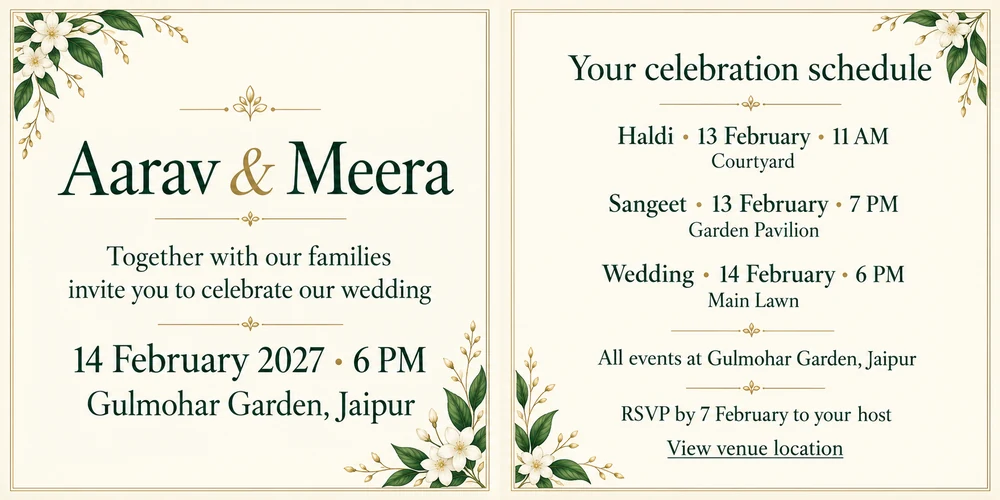
View a real wedding PDF example. This is a separate design, not the illustration above.
A ready-to-use two-page layout
Page 1 — Main invitation
Together with our families,
Aarav and Meera invite you to celebrate our wedding.
14 February 2027 · 6 PM
Gulmohar Garden, Jaipur
[Add the complete address before sharing.]
Page 2 — Your celebration schedule
Haldi: 13 February · 11 AM · Courtyard
Sangeet: 13 February · 7 PM · Garden Pavilion
Wedding: 14 February · 6 PM · Main Lawn
All events at Gulmohar Garden, Jaipur.
Please RSVP to your host by 7 February.
Venue location: [add and test the correct link]
Make it useful: include only the functions that the recipient is invited to. If guest lists differ, create clearly named versions. Repeat the venue and address for any function held elsewhere.
A PDF can contain working web links, as Adobe’s link guidance explains. A decorative label does not prove a link exists: tap it in the final file on your phone. Check the options in 3VIDEO’s PDF invitation designs, and pair the attachment with a personal message from our WhatsApp wedding wording guide.
Image card example with everything at a glance
View a real image-card design. Choose the Image Card option. This is a separate design, not the illustration above.
Ready-to-use card wording
With our families,
Aarav and Meera invite you to our wedding.
14 February 2027 · 6 PM
Gulmohar Garden, Jaipur
Please RSVP to your host by 7 February.
This works for a guest invited only to the wedding. Do not add the full haldi and sangeet schedule in tiny type. Send the relevant PDF instead.
Send with the card: “We’d love you to join us. Here is the venue location: [insert Maps link]. Please reply by 7 February.” Do not rely on a URL drawn into an image being tappable.
The same approach works for a birthday: replace the couple’s names with “[Child’s name] is turning [Age]” and keep the date, time and venue prominent. Browse birthday image e-cards and use our background guide to keep wording readable against the artwork.
Which combination should you send
- All three wedding functions: video for the announcement plus the two-page PDF for the schedule. Keep every date and time identical across both.
- Wedding-only guest: the single image card and a location link may be enough. Do not send a schedule for functions they are not invited to.
- Simple birthday party: one image card usually does the job. Choose video if you want a themed animated introduction, not because a still card is incomplete.
For later attendance follow-ups, use a short RSVP reminder rather than sending every attachment again.
Before you order and share
Confirm the file type, supported events or pages, total price and delivery option for the design you choose. Then send the final file to one trusted person through your intended WhatsApp sharing method. Ask them to read it and test any links.
File size and clarity depend on the export and how it is shared; no format is automatically the smallest or sharpest. Check names, dates, AM or PM and the venue pin. Use Google’s location-sharing instructions for the map link. If details change, send a clear correction: a new attachment does not replace copies guests have already saved.