A good birthday party starts with a few clear choices: who is coming, what they will enjoy and how much space and money you have. These five ideas cover the theme, invitation, activities, decorations and return gifts, with examples you can adapt without planning an elaborate event.
1 Choose a theme you can carry through
Ask the birthday person what they would enjoy, then choose two or three colours and one main motif. For children, offer a short choice rather than dozens of designs. Check the guest count, venue and budget before buying decorations.
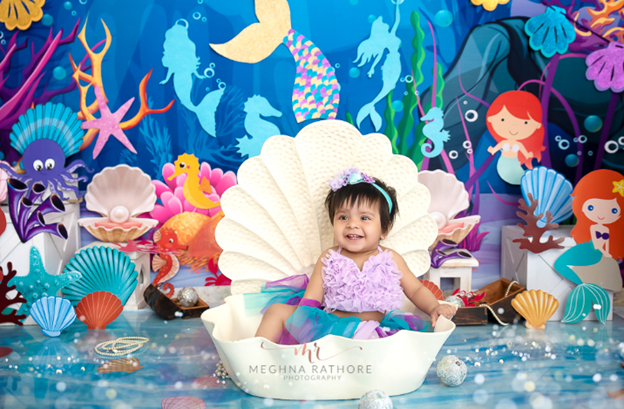
Mermaid party: use an ocean-blue backdrop with coral or shell illustrations. A paper-fish picture hunt or sea-creature colouring activity can carry the theme without needing a pool.
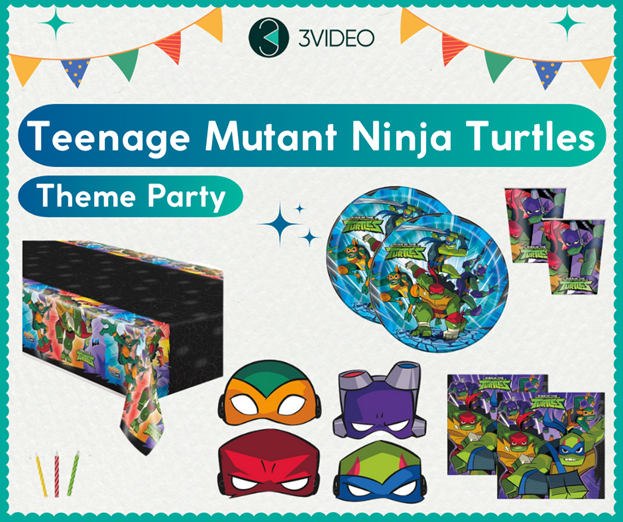
Teenage Mutant Ninja Turtles party: pair green decorations with the characters’ mask colours. For suitable ages, try a supervised team puzzle or simple obstacle course with no rough play. Costumes can be optional.
Fairy and pixie party: use flowers, paper butterflies and a small garden-style backdrop. A supervised paper-wand craft can work for older children. If celebrating outdoors, plan an indoor alternative before sending the invitation.
For a baby’s celebration, the first birthday theme guide has simpler age-appropriate options. Older children, teens and adults can help choose their own theme and activities.
2 Make the digital invitation useful
Match the invitation to the theme, but keep the practical details easy to read. Include the name, occasion, date, start and finish times, full address, RSVP contact and reply date. Say whether parents should stay, whether siblings are invited and whether a meal is included when those details affect guests.
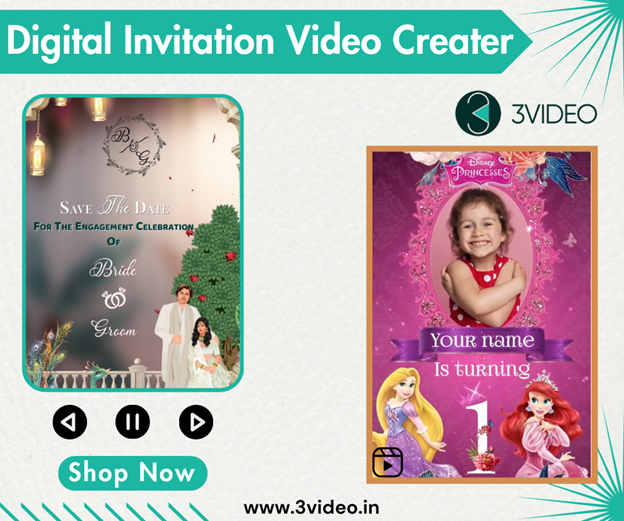
You can make the invitation in an editing tool or ask a designer to personalise a template. A simple digital invitation video can use three slides: the birthday introduction, one photo or theme scene, then the event details. Give the last slide enough time to read on a phone.
Check spelling and every slide before sharing. Put the map link in the accompanying message so guests can tap it. For more editing guidance, see how to customise a birthday invitation video. Keep a private home address within the guest list.
3 Plan activities for the guests coming
Choose one main activity and a quiet alternative. A party with toddlers needs a different plan from one with school-age children. Check age labels on materials and arrange adult supervision rather than expecting the activity to run itself.
For children: hide large theme pictures around one clearly defined area and give each group a short picture checklist. Keep the route away from stairs, roads and off-limits rooms. Alternatively, set out age-appropriate colouring or a simple craft.
For parents and mixed-age groups: try a short team quiz about the birthday person, with questions they are comfortable sharing. Let guests watch or chat instead of making participation compulsory.
Example order: arrivals and conversation, the main activity, food and cake, then relaxed goodbyes. Leave spare time rather than filling every minute. Ask one helper to lead the game while another handles food or arrivals.
4 Decorate one focal point
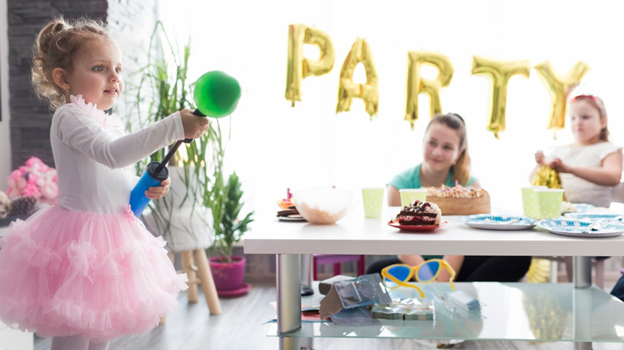
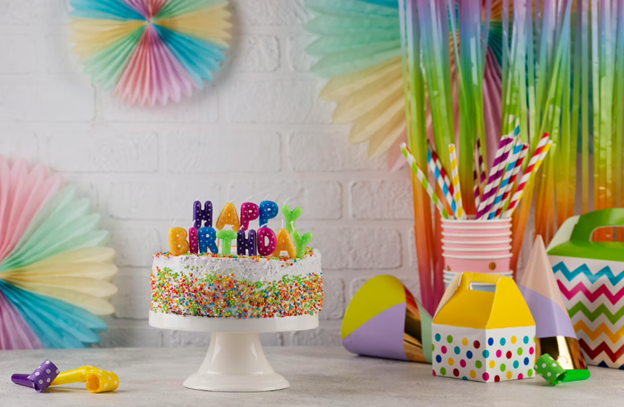
Start with the cake table or a photo corner. Add a name banner, one backdrop and a few matching props. Repeat the colours on the table rather than buying a separate set of decorations for every wall.
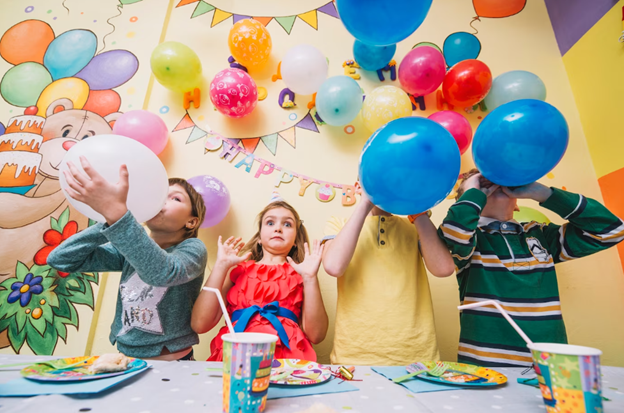
Use a stable table and secure the backdrop as its supplier recommends. Keep exits clear and cables out of walkways. Keep balloons, broken balloon pieces and small decorations away from young children.
For a low-cost setup, reuse a plain cloth, print a birthday sign and display a few photos. Test the arrangement in the room’s actual light before guests arrive. The birthday decoration at home guide offers more layouts and theme references.
5 Choose return gifts people can use
Set a per-guest limit before shopping. One useful item with a thank-you tag is enough; a goodie bag does not need several fillers.
A personalised keychain can suit older guests. A small craft kit can suit children within its stated age range. Custom cookies are another option when ingredients and dietary needs are clear. These are choices, not items every guest must receive.
Check age guidance and choking warnings, especially when younger siblings will attend. The CPSC toy safety guidance recommends keeping small balls and toys with small parts away from children under three. Keep packaging away from children too.
Ready to use party messages
Replace every bracketed detail and keep only the lines that match your plans.
Dive into [Name]’s birthday celebration! Join us on [Date], [Start time] to [End time], at [Venue and address]. We have an ocean-themed afternoon planned, with games and cake. Please RSVP to [Contact] by [Date].
Ninja Turtles invitation
Team up for [Name]’s Teenage Mutant Ninja Turtles birthday! The party is on [Date], from [Start time] to [End time], at [Venue and address]. Costumes are welcome but optional. Please reply to [Contact] by [Date].
Fairy and pixie invitation
Join us for [Name]’s fairy and pixie birthday on [Date], [Start time] to [End time], at [Venue and address]. We are planning crafts, cake and time together. Please RSVP to [Contact] by [Date].
RSVP reminder
Hi [Guest name], we are confirming the food and activities for [Name]’s party on [Date]. Could you let me know by [Reply date] whether [Invited names] can join us? No problem if you cannot make it.
Thank you after the party
Thank you for celebrating [Name]’s birthday with us. We loved having you there. [Add one genuine detail, such as a game you enjoyed together.]
A final check before the party
Confirm the guest count, food needs, venue access and delivery times. Save supplier contacts, charge the phone or camera and put the cake knife, candles and serving items together. For an outdoor party, tell guests how you will communicate any weather-related change.
If you need a personalised invitation, browse 3VIDEO’s birthday invitation designs and confirm the selected product’s price, included changes and delivery time before ordering.
A practical planning guide with copy ready scripts and a final check list
A birthday invitation video should feel like the person you are celebrating and make the party easy to attend. A beautiful animation loses its purpose if guests have to ask when to arrive, which venue you mean or who should reply.
This guide helps you choose a theme, prepare photos and music, organise the details across slides and check the finished video on a phone. You will also find six complete invitation scripts, useful wording for parents and guests, and a brief you can copy when ordering a customised video.
Write the information in one place before choosing a template. Decide whose birthday it is, the name spelling, the age if you want it shown, the full date including year, start and end times, venue name and address, and the RSVP contact and deadline. Include the time zone for an online party or guests joining from abroad.
For a children’s party, decide whether a parent should stay, whether siblings are included and whether food is provided. A parent should not have to guess these things from a colourful video. Keep longer instructions in the accompanying message rather than shrinking the on-screen text.
Confirm the venue and timings before ordering. If a detail is not settled, ask the designer how a later change would be handled before you pay. Avoid putting a home address or a child’s personal details into a public teaser.
Choose a tool or a designer led service
Choose the workflow you are comfortable finishing, not just the template you like. If you want to edit every line yourself, use an editor and check what its free or paid plan actually lets you export. If you prefer to send the details and review a finished design, choose a customisation service.
Canva offers invitation designs and video editing tools. Check the selected design, fonts, images and audio before exporting; an attractive template can include paid elements. Its official video download guidance explains MP4 export and separate-page options.
Canva illustration from the original guide.
Animoto is a browser-based video maker for arranging photos, clips, text and music. Check its current export and branding options before committing to a design. It is a different workflow from handing a brief to an artist.
Animoto illustration from the original guide.
Motion Array provides video templates, graphics, music and plugins. It suits someone already comfortable with compatible editing software. Check the template’s required application and version; downloading a template is not the same as receiving a finished invitation.
Motion Array illustration from the original guide.
With 3VIDEO, the FAQ describes artist-led customisation rather than a self-editing invitation app. Browse the birthday invitation collection, watch the full sample, check the selected product’s requirements and provide your details through the stated order process. Confirm the delivery option, revision scope and any extra customisation before ordering. Do not assume every theme has the same price, photo allowance or turnaround.
Choose a theme and template that fit the celebration
Start with one thing the birthday person genuinely enjoys. A jungle adventure, soft clouds, cars, flowers, a traditional celebration or a favourite colour can guide the whole invitation. You do not need to combine every interest into one design.
For a first birthday, choose a mood the family likes and leave room for a clear portrait. For an older child, involve them in choosing a theme. For an adult, a simple colour palette and a well-chosen photograph may feel more comfortable than a cartoon treatment.
Watch the complete sample before buying. Count the available photo spaces, check how much text fits and see whether the last slide can hold your venue and RSVP information. Ask before requesting a different scene, character, animation or aspect ratio; these may be outside routine text-and-photo changes.
Keep the birthday person’s name easy to read. Use decorative lettering sparingly, keep the details on a quieter background and avoid placing important words over faces. A matching static card can help guests who prefer to save one image.
Prepare photographs and music without surprises
Send the original photo file when possible, rather than a screenshot or an image repeatedly forwarded through chats. Choose a sharp picture with good light on the face and enough space around the head for cropping. If the template needs a full-length photograph, a close-up may not fit.
Check whether you want the real photo used as it is, a cut-out, or an illustrated version. State any limits clearly, such as “Keep the original face and expression unchanged.” Ask to review the crop before approving the final video. For group photos, identify the correct person without sharing unnecessary personal information.
You can make an invitation without a photograph. A name, age, favourite colours and theme can still make it personal. Ask about a no-photo version before ordering if the sample relies heavily on a portrait.
Choose music that suits the pace and does not fight with spoken words. Check the permission or licence for the track and intended destination before using it; do not assume a popular song or music included in an editing app is cleared for every use. YouTube’s Audio Library guidance explains its track and attribution options, but does not provide assurance for every off-platform use. Keep the licence details with your project.
Finally, watch the invitation with the sound off. The name, occasion and event details should still make sense. Music should add atmosphere, not carry information guests can miss.
Build a readable three slide invitation
A simple structure is an opening, a birthday-person slide and a details slide. Use a longer version when the information needs it, rather than forcing everything into a tiny final frame.
Slide 1 introduces the mood and occasion. Slide 2 gives the name and age, with the photograph if wanted. Slide 3 shows the date, time, venue and RSVP. Put the map link and longer guest notes in the message sent with the video, where people can use them directly.
As an editing starting point, try a short opening, a slightly longer name-and-photo slide, and the longest hold on the details. This is a design suggestion, not a platform rule. Read each screen aloud at a normal pace. If you cannot finish before it changes, simplify the words or increase the hold. A 15-second video can work for a very simple invite; a crowded address and guest instructions need more room.
For phone-first viewing, a vertical design may suit the intended sharing route. Confirm the output shape with your designer before production, especially if you also need a landscape display version. Never assume one crop will work equally well everywhere.
Copy ready birthday invitation video scripts
Replace every bracketed field and remove any line that does not fit your plans. These are adaptable examples, not claims about a real family. The slide divisions are planning guides; a designer can adjust them to the chosen template.
Slide 1: A little celebration for a very special one! Slide 2: [Name] is turning ONE. Join us for smiles, cake and a day with the people we love. Slide 3: [Full date and year] | [Start time–End time] [Venue name and address] RSVP to [Host and contact] by [Date].
Jungle themed children’s birthday
Slide 1: Calling our little explorers! Slide 2: [Name] is turning [Age]. Come along for a jungle birthday adventure. Slide 3: [Full date and year] | [Start time–End time] [Venue name and address] Please reply to [Host and contact] by [Date]. Message note: A parent or guardian is welcome to stay. Please let us know about food or access needs when replying.
Simple birthday invitation without a photo
Slide 1: Let’s make room for cake and good company. Slide 2: You’re invited to celebrate [Name]’s birthday! Slide 3: [Full date and year] | [Start time–End time] [Venue name and address] RSVP: [Host and contact] by [Date].
Adult milestone birthday
Slide 1: Good food, familiar faces and a birthday worth celebrating. Slide 2: Join [Name] for a [Milestone age, e.g. 30th] birthday celebration. Slide 3: [Full date and year] | [Start time–End time] [Venue name and address] Please reply to [Contact] by [Date]. Editing note: Replace the entire milestone placeholder with the correct age, or leave the age out.
Surprise birthday invitation
Slide 1: Shhh… we’re planning a surprise! Slide 2: Help us celebrate [Name]’s birthday. Please keep the plan between us. Slide 3: [Full date and year] Guests arrive by [Time]. [Name] arrives at [Time]. [Venue name and address] RSVP privately to [Host and contact] by [Date]. Message note: Please do not tag [Name], share this publicly or add them to the planning group.
Online birthday celebration
Slide 1: Different places, one birthday celebration. Slide 2: Join us online to wish [Name] a happy birthday. Bring a snack and a story if you would like. Slide 3: [Full date and year] | [Start time–End time and time zone] Join on [Platform]. We’ll send the joining link privately. RSVP to [Host and contact] by [Date].
Copy ready wording for parents and other guests
Choose only the notes that apply and send them with the video. Say who is invited plainly and kindly, especially when venue capacity is limited. Do not include the whole list in every invitation.
Parent staying: Please stay with your child during the party. We look forward to welcoming you both.
Drop-off arrangement: This is a drop-off party for the invited children. Drop-off is at [Time] and collection is at [Time] from [Meeting point]. Please contact [Host] if you would like to discuss the arrangement.
Siblings welcome: Siblings are welcome. Please tell us how many children and adults are coming when you reply so we can plan.
Limited places: We have reserved a place for [Guest name]. Unfortunately, we cannot include siblings at this venue. Thank you for understanding.
Food and access needs: We will be serving [Food or meal]. Please let [Host] know privately about any food allergies or access needs when you RSVP so we can discuss arrangements.
No gifts requested: Your company is the gift. Please come without presents; we would simply love to celebrate with you.
Accompanying WhatsApp message: Hi [Guest name], we’d love you to join us for [Name]’s birthday. The invitation video is attached. [Full date and year], [Start time–End time] [Venue and full address] Map: [Verified map link] Please reply to [Contact] by [RSVP date]. [One relevant guest note.]
Copy and complete a customisation brief
One organised brief reduces conflicting instructions. Keep the confirmed text in one message or document, then label the photo files. This is a planning template, not a substitute for any required fields in the selected product’s order form.
Birthday invitation brief
Chosen design or product link: [Link] Name exactly as it should appear: [Name] Age to display or “no age”: [Answer] Party date including year: [Date] Start and end times: [Times and time zone if needed] Venue name and full address: [Details] RSVP name, contact and deadline: [Details] Guest arrangements: [Parents staying, siblings, food or other essential note] Language and exact wording: [Paste approved text] Photos attached: [File names and which person to use] Photo treatment: [Original photo, cut-out or agreed illustration] Music preference and permission information: [Details or request suitable licensed options] Preferred video shape and intended sharing route: [Details] When the invitation is needed: [Date and time] Please confirm: included changes, any extra charges, delivery option and the preview process.
Preview the final video before sharing
Check the name letter by letter, the age, date, year, weekday if included, and AM or PM. Compare the video with your confirmed booking or party plan, not with an earlier draft of the invitation.
Watch the exported file on a phone at normal size. Look for text that is cut off, faces cropped too tightly, awkward line breaks and details that disappear too quickly. Test both sound-on and silent viewing. Ask one other person to tell you the venue and time after watching; if they hesitate, improve the details slide.
Request the agreed high-quality final file and keep that original. A file labelled HD can still contain a blurry source photo or unreadably small text. If making the video yourself, check the export options and whether the chosen plan adds a watermark. Review the actual download, not only the editor preview.
Send a test to yourself or a trusted person using the intended sharing route and view the received copy. If the text is difficult to read after sharing, ask for an adjusted export or a clearer final slide. Keep a static details card or plain-text message available as an easy reference.
Open the map link and check that it leads to the correct entrance or venue. Put the RSVP contact in the message text too. A phone number or link drawn inside an ordinary video frame is not the same as a tappable message link.
Share privately with the intended guests first. If posting a public teaser, remove home addresses, private meeting links, contact numbers and details you do not want strangers to see. Check consent before sharing someone else’s photograph.
Common questions
How many photos should I use? Follow the selected template’s photo spaces. One clear portrait may be enough for a short invitation; more photos need more screen time. Confirm the allowance before ordering instead of sending a large folder and assuming everything will be included.
Can I use my favourite song? Ask about the music permission and where the finished invitation will be shared. A song being available to listen to does not establish permission to include it in a new video. If the position is unclear, choose an appropriately licensed alternative.
Can I change the details after the preview? Check the selected service’s revision terms before ordering and send corrections together. Do not assume a new theme or extra scene is included in a spelling correction. If the event changes after guests receive the invite, send a clear update as well as a revised file.
Does an invitation video collect RSVPs automatically? An ordinary video file does not track replies by itself. Give guests a contact or link to the response method you actually use. Do not promise automatic tracking unless that feature is included in your chosen service.
Can I order a birthday video without editing experience? Yes, an artist-led service can prepare the video from your brief. The 3VIDEO FAQ explains its customisation and preview process. You still need to check the details and approve the result.